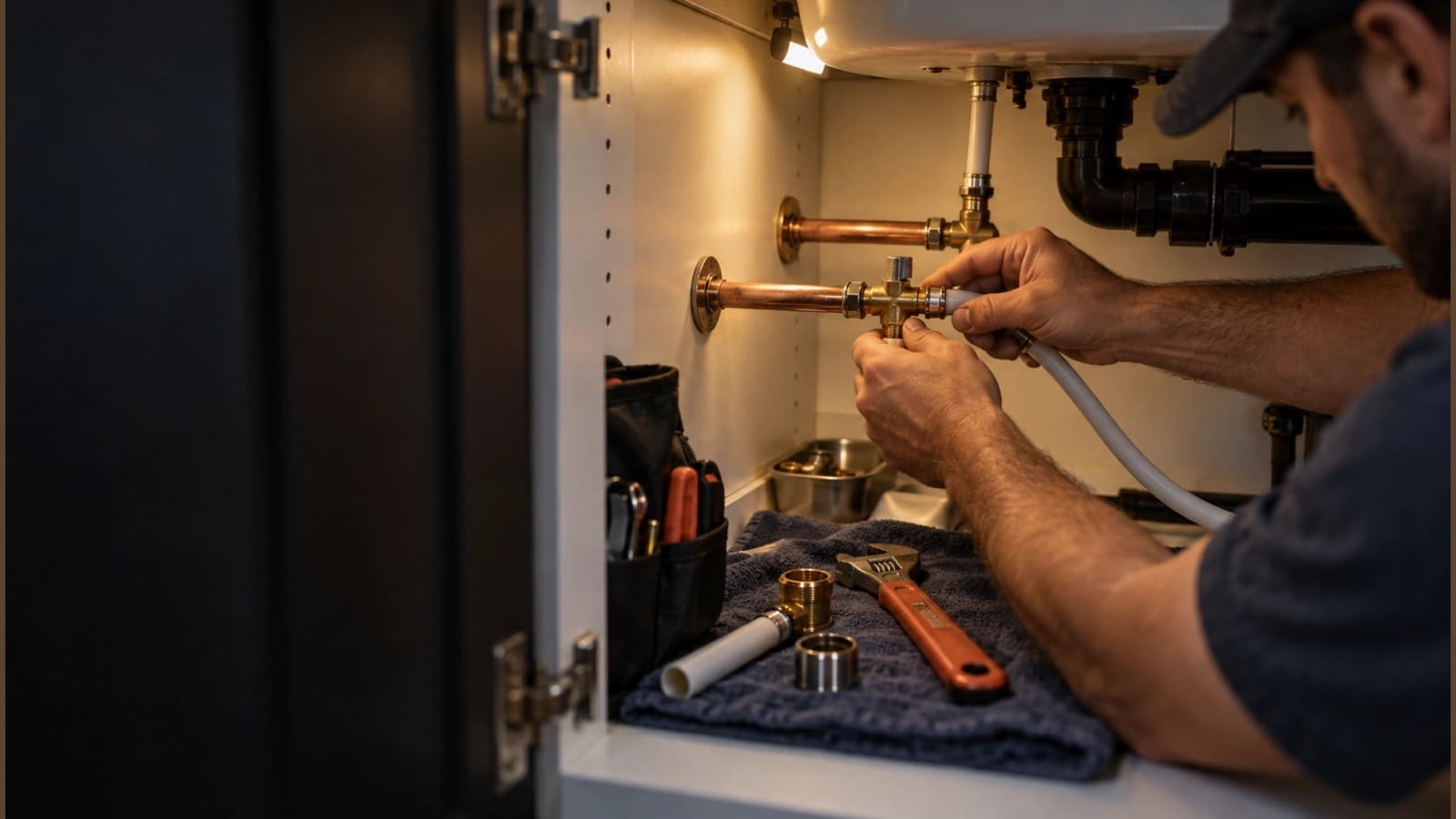
For plumbers & plumbing companies
Fix more leaks. Write fewer invoices.
Fit the emergency call into today’s route, quote the water heater with photos and your margin in view, and bill the property manager for every unit, with Scout, your AI agent, doing the office work.
No credit card. A free listing in the local pro directory is included.
A same-day call wrecks the route you planned.
Add the repair to a crew’s day and re-optimize the route, then open the new order in Google Maps.
Invoices pile up in the truck, and you don’t know which jobs paid.
Invoice right from the completed visit, see the margin on each one and let payment reminders follow up.
Property managers want one bill, not twenty.
Set up a billing account so one payer covers all their properties and units.
Meet Scout™, your AI agent
Tell Scout what you need. It does the work in the app.
No software to learn. Anything that emails a customer or costs money waits for your OK.
“Fit a slab leak call at 412 Pine into Danny’s route today.”
Added the visit to Danny’s day and re-optimized his route around it.
“Quote a 50-gallon gas water heater swap for Mrs. Patel, with these photos.”
Built the proposal from your water heater assembly, attached the photos, margin shown, ready to review.
“What did we make on last month’s repipe jobs?”
Listed the repipe invoices with revenue and margin for each.
“Which invoices for Oakview Property Management are past due?”
Listed the open invoices on their billing account by property and how long each has been outstanding.
“Make a flyer for drain cleaning with a QR code for quotes.”
Designed a print-ready flyer with your logo; scans land in Leads with automatic follow-up.
Plumbing
Built for the way you work
Routes that bend
Drop a same-day repair onto a crew’s schedule and re-optimize the route. The needs-scheduling list holds what can wait.
Quotes with photos
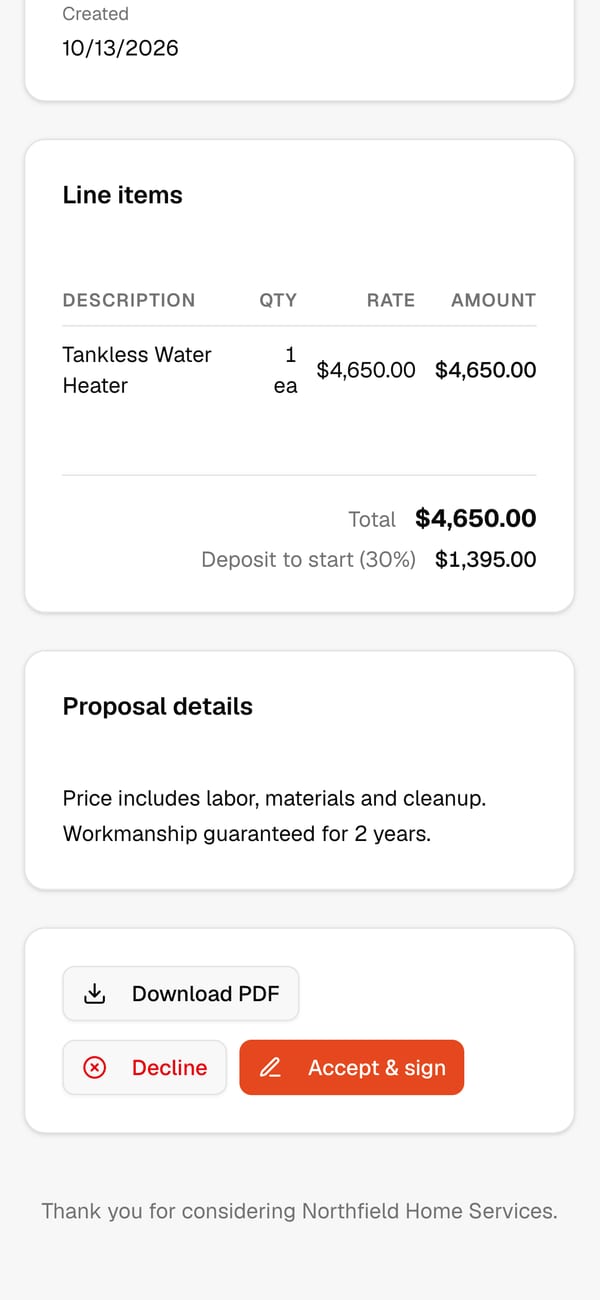
Attach photos of the corroded tank or the leak to the quote so the homeowner sees what you saw.
Water heaters as assemblies
Build a “50-gal gas water heater installed” from the heater, venting, valves, haul-away and labor, then quote it in one line.
Margin on every invoice
See what each invoice made after parts and labor, so you know which kinds of jobs pay.
Property-manager billing
One billing account pays for many properties. Track what’s open and what’s delinquent by payer.
Paid faster
Customers pay by card online, reminders go out on your billing rules, and payments sync to QuickBooks.
Quotes & e-signature
Water heater upgrades signed on the spot
The customer opens the quote from their email, reviews every line and signs on their phone. If you ask for a deposit, its invoice goes out the moment they sign.
See it in the app
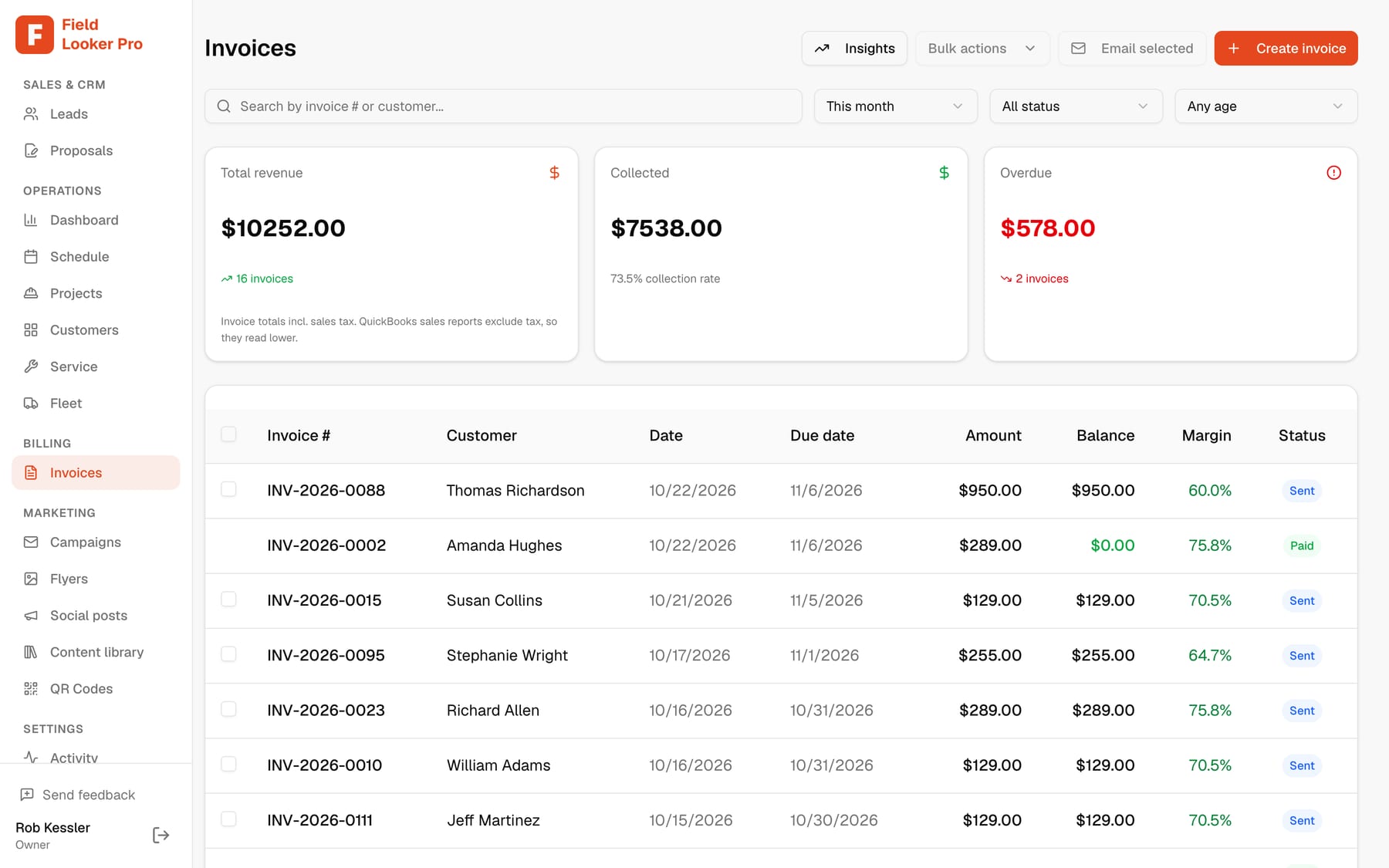
Every job invoiced, every margin visible
Invoice from the visit the crew just completed or write one by hand, with the margin on each and reminders for what’s late.
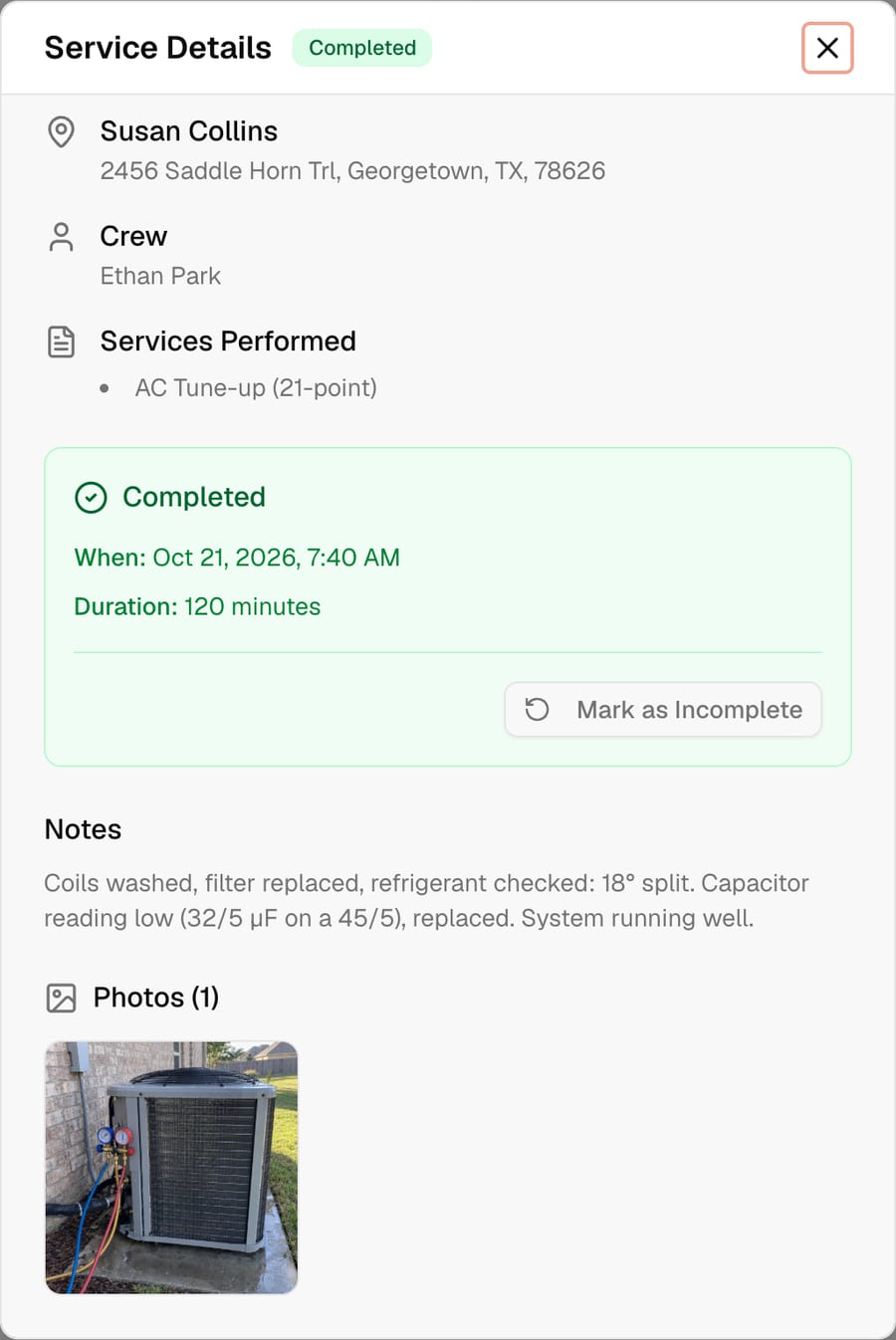
Notes and photos on every call
What was found, what was fixed and a photo, saved with the customer for the next time they call.
Keep customers in the know
Customers who feel informed come back, and send their neighbors
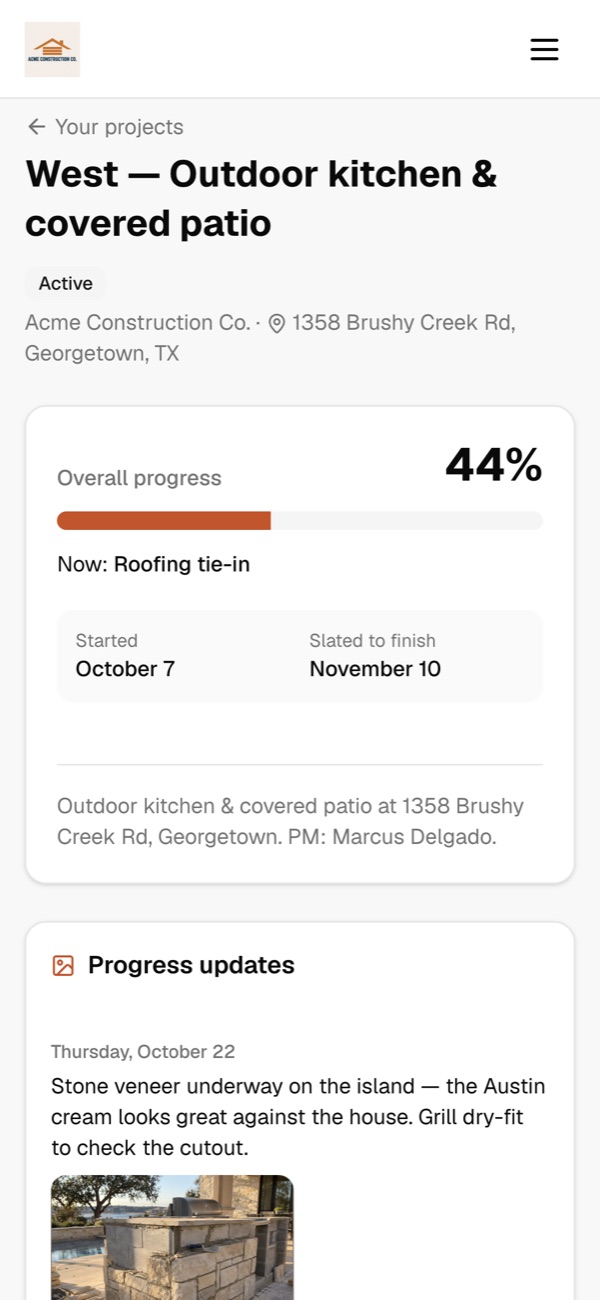
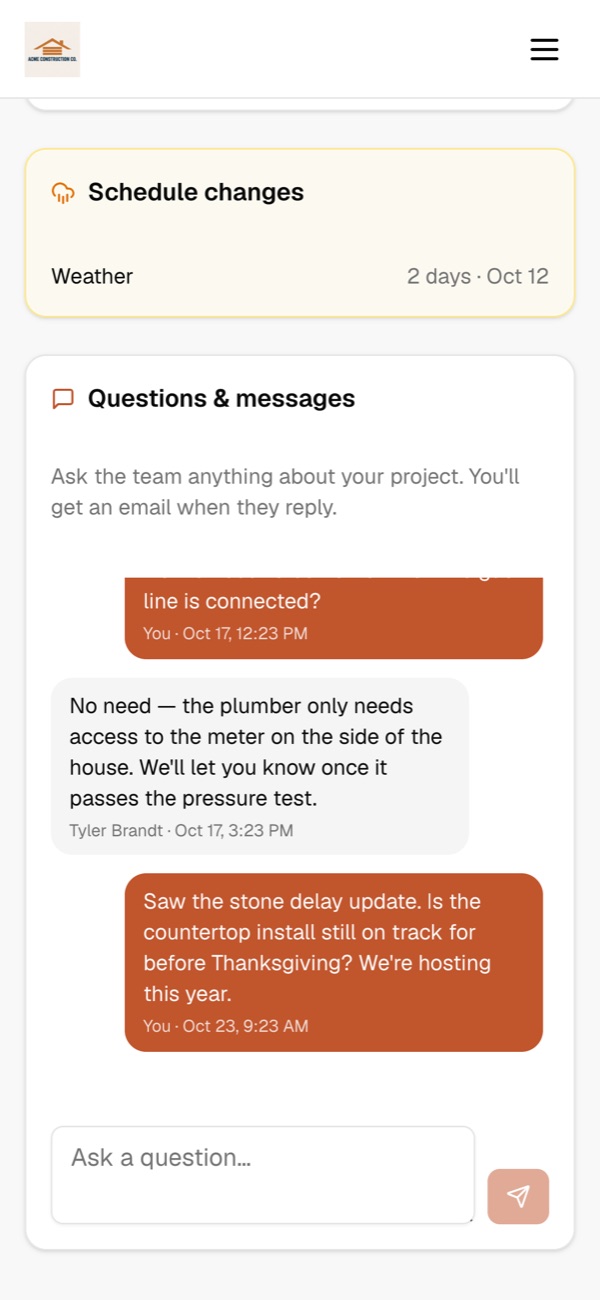
Every customer gets their own project page. They see progress, the schedule and any delays as soon as you log them, and they can message you directly. Fewer “where are we at?” calls, smoother jobs, and the kind of experience that turns into repeat work and referrals.
- Customers message you right from their project page. You get an email the moment they do, and they get one when you reply.
- Log a weather or materials delay and they see why and for how long, with an optional email so nobody is surprised.
- A live calendar of every phase, so they know when crews will be on site.
- Progress photos and the files you choose to share: plans, renderings and the signed contract.
New message from Paul West
“Is the countertop install still on track for before Thanksgiving?”
From first call to paid
- 1
Call or request
From your directory listing, website or a QR code on the truck, with follow-ups sent for you.
- 2
Quote with photos
Price the repair or install from your price book and attach what you found.
- 3
Scheduled into a route
Add the job to a crew’s day and re-optimize the route.
- 4
Done with photos
The plumber completes the job on their phone with a before-and-after photo.
- 5
Invoiced and paid
Invoice from the visit, take a card online, and let reminders handle the rest.
Questions
Can I add an emergency job to a day that’s already planned?+
Yes. Add the visit to a crew’s day and re-optimize the route, then open the updated stops in Google Maps.
Can I bill a property manager for several properties?+
Yes. A billing account makes one payer responsible for many properties, and you can see open and past-due invoices by payer.
Do my plumbers need to install an app?+
No. They open their jobs in the browser on any phone and complete them with photos.
Can customers pay online?+
Yes. Invoices can be paid by card online through Stripe, and payments sync to QuickBooks Online.
Can I see what I make on each job?+
Yes. Quotes show you the margin before you send, and each invoice shows its margin after the work is done.
See it run your business
Book a 20-minute walkthrough with your own jobs, crews and price book, or ask us anything. We usually reply the same day.
- We’ll import your customers and QuickBooks for you
- Bring your trickiest job and watch Scout, our AI agent, handle it
- No commitment, no credit card
Run the whole business from one conversation.
Start freeFree for up to 10 customers. No credit card.