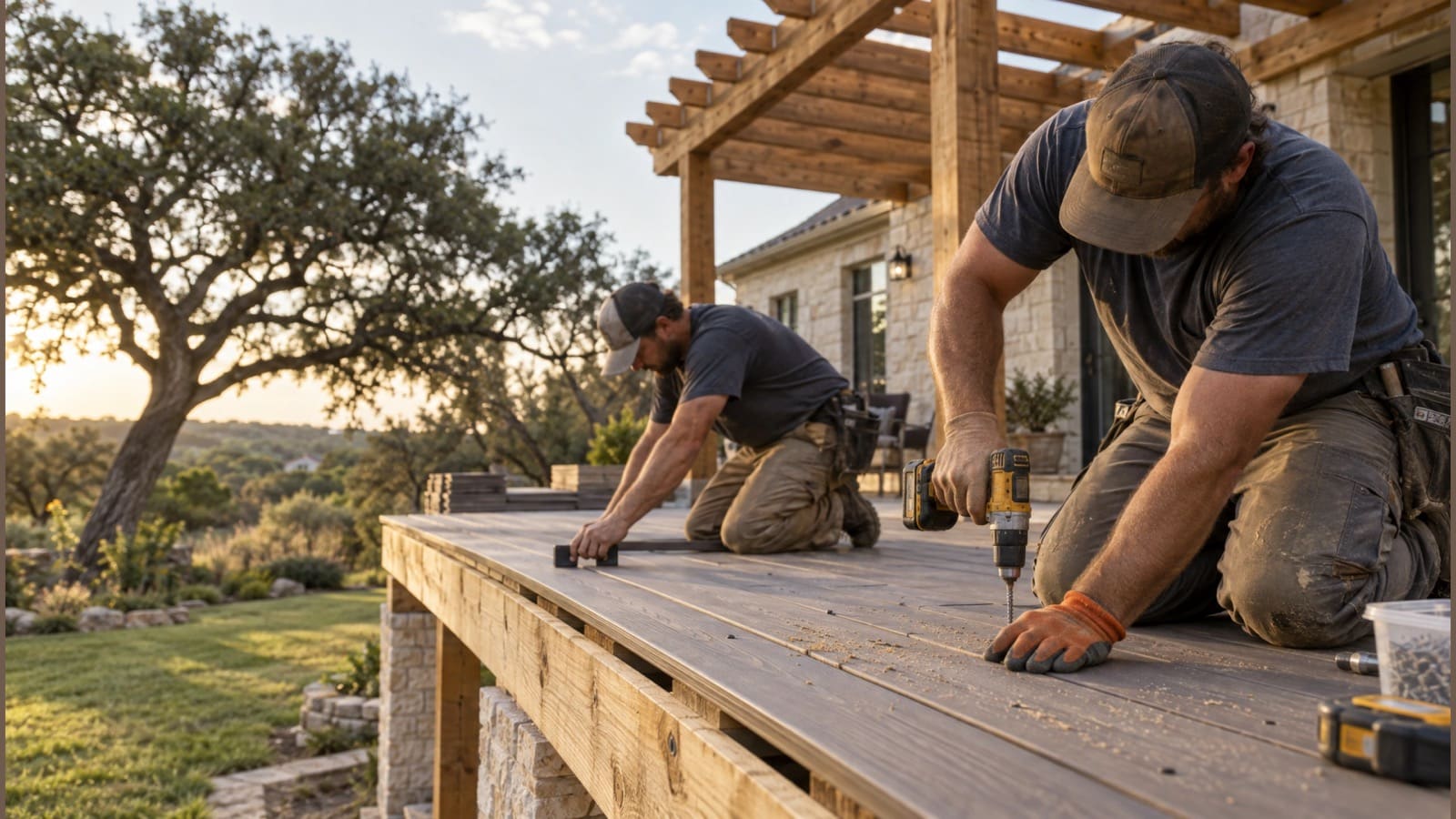
For deck builders & outdoor living contractors
Build more decks. Chase less paperwork.
Quote the deck, pergola and outdoor kitchen from your own price book, get it signed with a deposit from the customer’s phone, and run every build phase by phase, with Scout, your AI agent, doing the office work.
No credit card. A free listing in the local pro directory is included.
Quotes take your evenings, and the margin is a guess.
Price from assemblies (boards, framing, hardware, labor) in your price book and see the margin before you send.
Driving across town to get a contract signed.
Customers sign on their phone and the deposit invoice goes out automatically, saved to QuickBooks.
Homeowners call every day asking how it’s going.
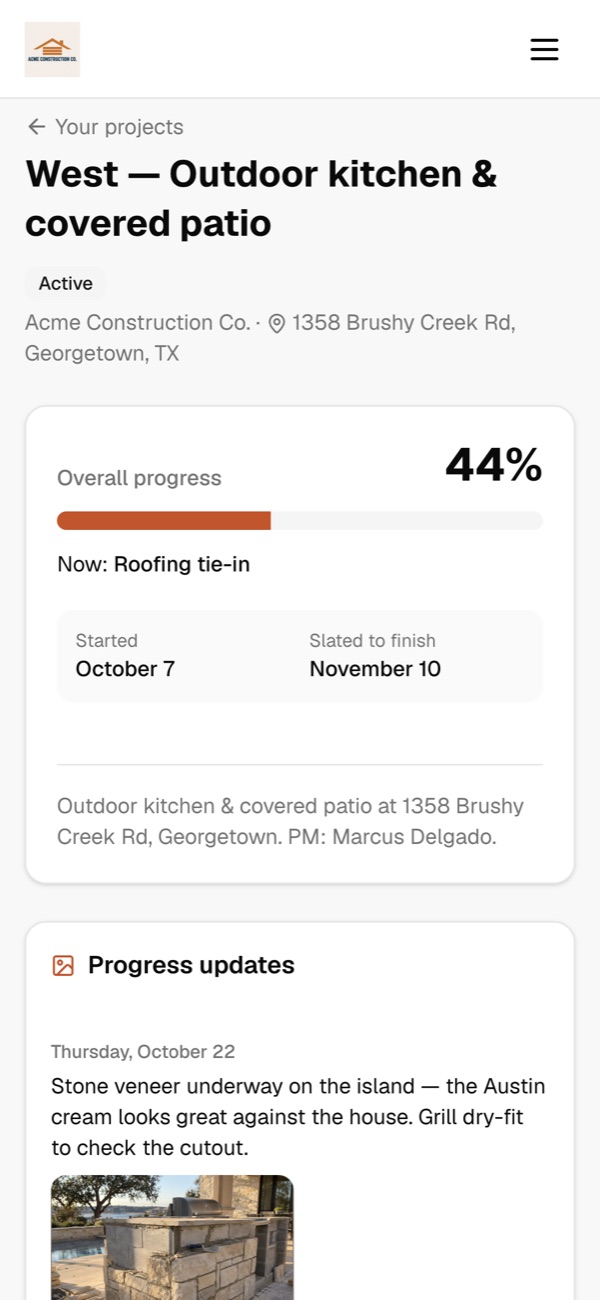
They get their own project page with progress, the schedule and the photos you choose to share.
Meet Scout™, your AI agent
Tell Scout what you need. It does the work in the app.
No software to learn. Anything that emails a customer or costs money waits for your OK.
“Quote a 16×20 composite deck with a 12×12 pergola for the Colemans.”
Built the proposal from your deck and pergola assemblies, with your margin shown, ready to review.
“Log a two-day weather delay on the Bryant deck and let Laura know.”
Pushed the remaining phases, logged the delay and posted it to her project page after you approved.
“Which signed jobs are still waiting on a deposit?”
Listed three signed proposals with open deposit invoices and how long each has been outstanding.
“Put Marcus’s crew on framing at the West kitchen Monday through Wednesday.”
Set the framing phase dates and crew, and updated the customer’s calendar.
“Make a spring flyer for deck staining with a QR code for quotes.”
Designed a print-ready flyer with your logo; scans land in Leads with automatic follow-up.
Decks & outdoor living
Built for the way you work
Assemblies in your price book
Build a “composite deck per sq ft” or “pergola 12×12” from materials, labor and equipment, then quote it in one line.
Measure from the map
Draw the deck footprint or a railing run on the satellite map to get square or linear feet for the quote.
Phases, crews and delays
Layout and permits, footings, framing, decking, railing, walkthrough: dates and crews per phase, and delays with a reason.
Daily logs with photos
Crews add a note and photos from their phone. Share the good ones with the homeowner in one tap.
Plans, permits and contracts
Keep drawings, HOA approvals, permits and the signed agreement with the project, with versions.
Seasonal marketing
Spring build and fall staining campaigns to past customers, plus flyers and social posts made for you.
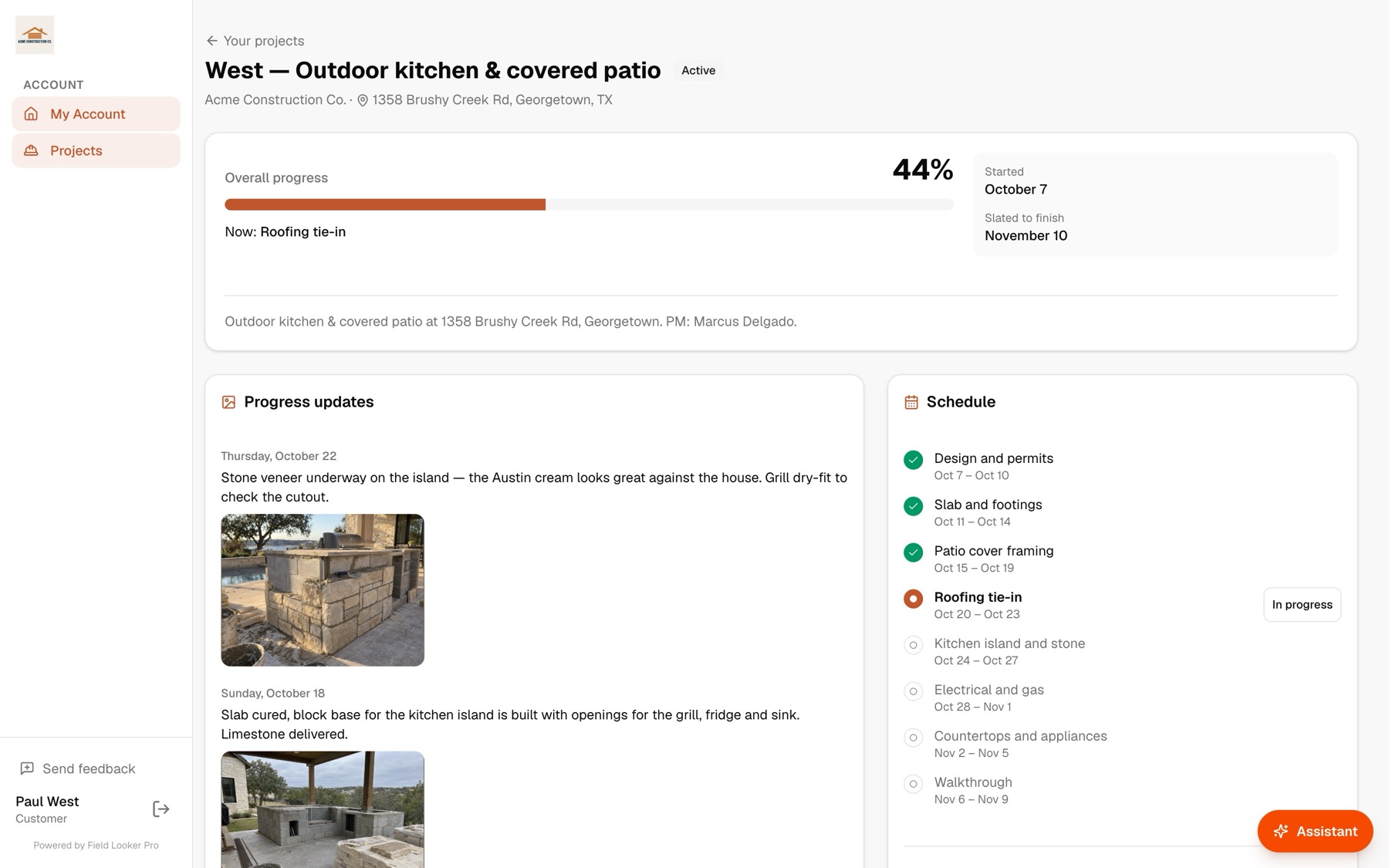
Customer portal
Homeowners see progress, not your project plan
Each customer gets a page for their build: overall progress, the current step, the schedule, shared photos and files, and a message thread. Their questions land in your inbox, and your crew’s names and costs stay private.
See it in the app
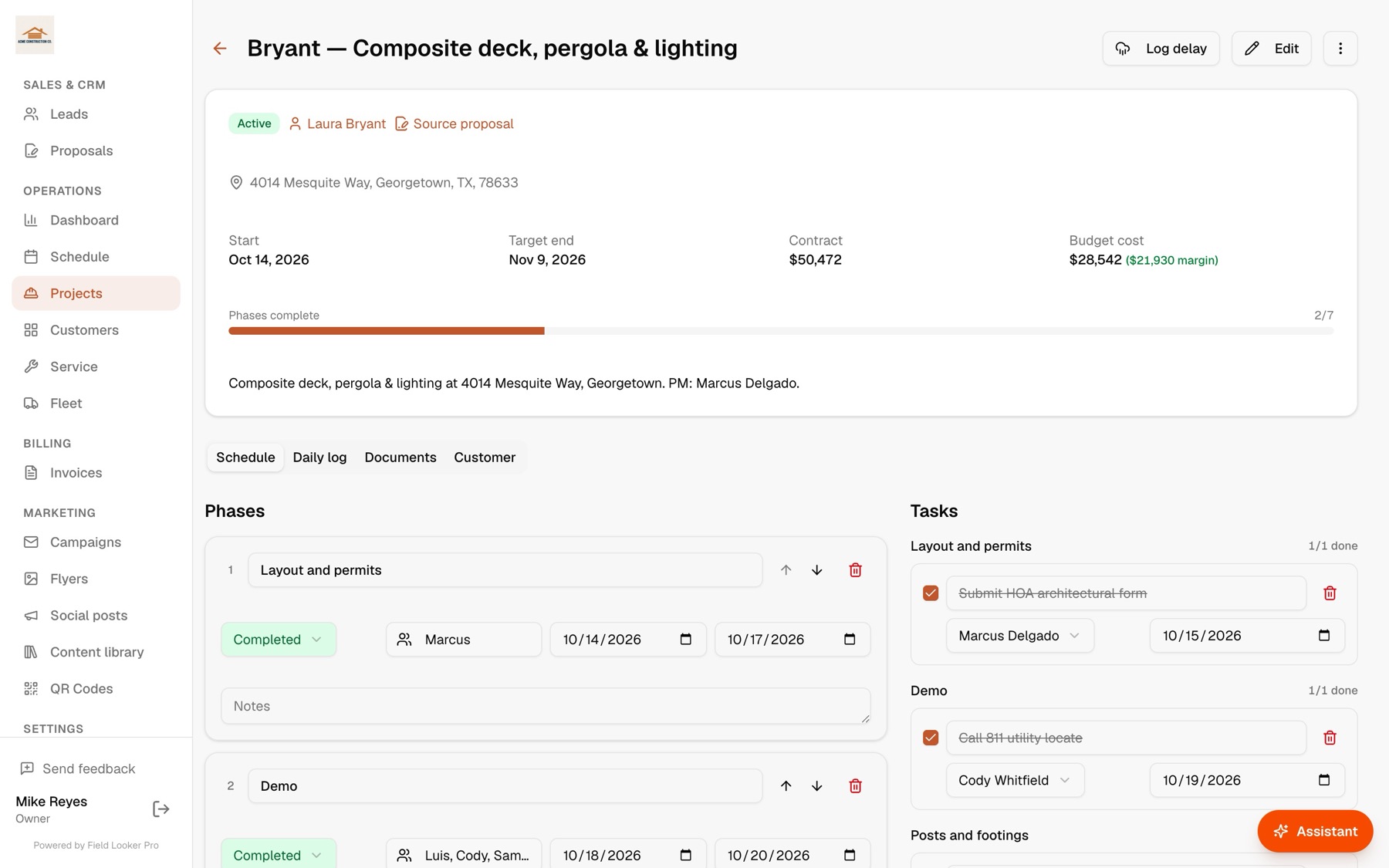
Every build, phase by phase
Demo, framing, decking, rails and final walk: each phase gets dates and a crew, and delays shift what comes after.
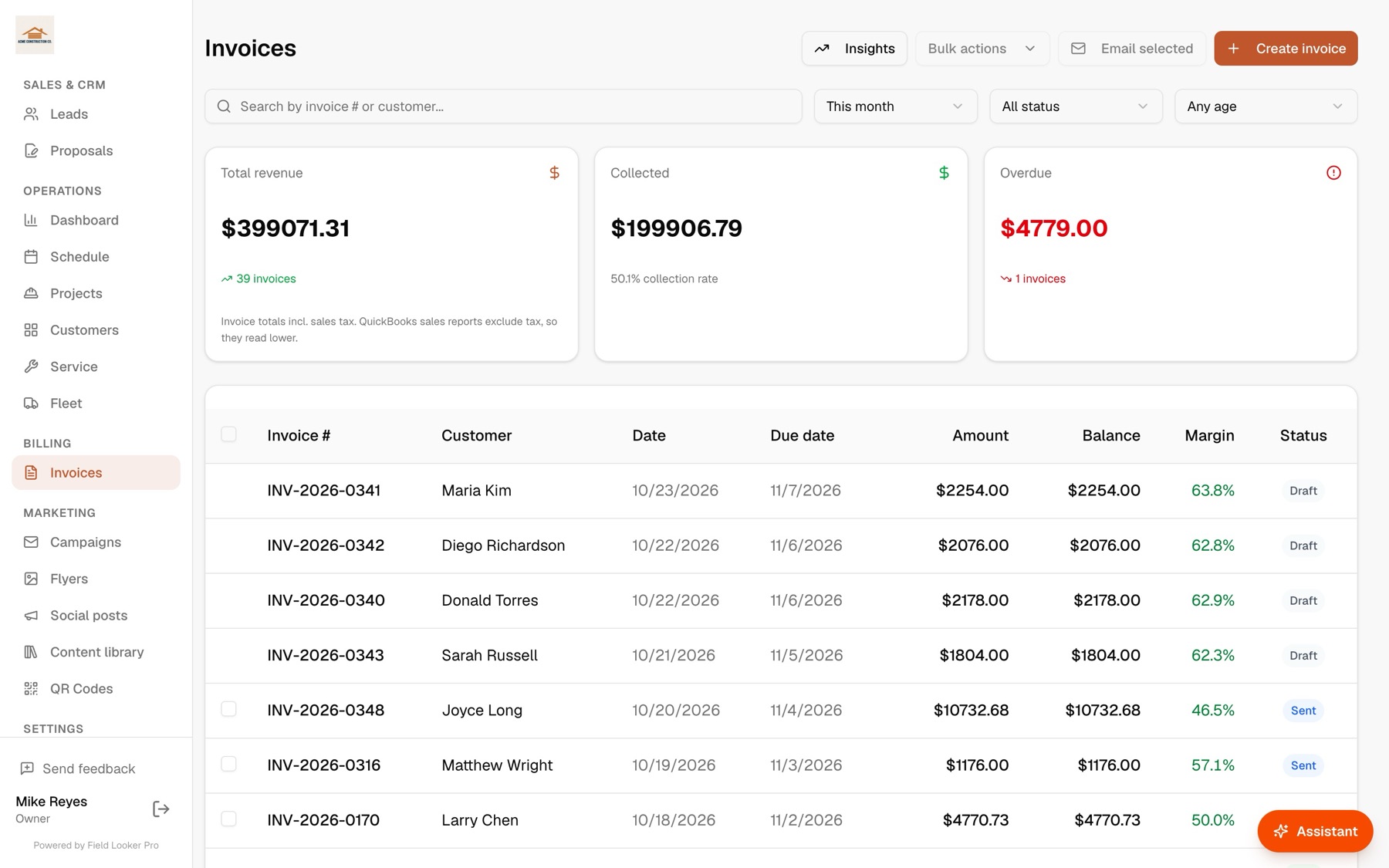
Deposits invoiced on signing
When the homeowner signs the proposal, the deposit invoice goes out on its own. Each invoice shows its margin.
Keep customers in the know
Customers who feel informed come back, and send their neighbors
Every customer gets their own project page. They see progress, the schedule and any delays as soon as you log them, and they can message you directly. Fewer “where are we at?” calls, smoother jobs, and the kind of experience that turns into repeat work and referrals.
- Customers message you right from their project page. You get an email the moment they do, and they get one when you reply.
- Log a weather or materials delay and they see why and for how long, with an optional email so nobody is surprised.
- A live calendar of every phase, so they know when crews will be on site.
- Progress photos and the files you choose to share: plans, renderings and the signed contract.
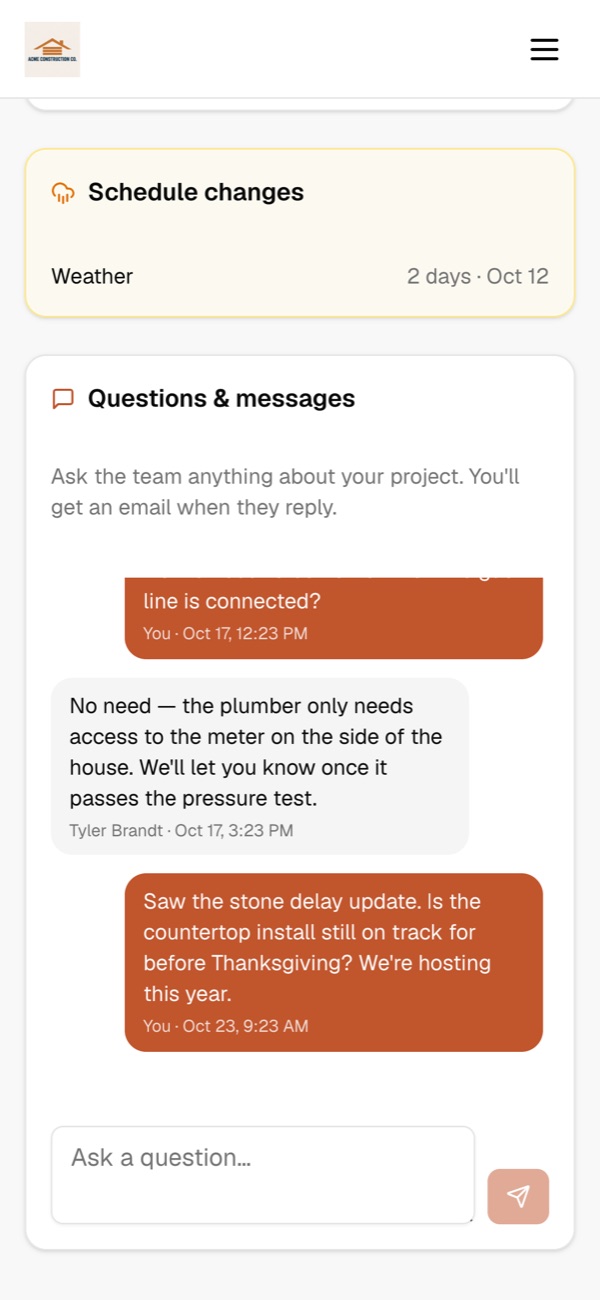
New message from Paul West
“Is the countertop install still on track for before Thanksgiving?”
From first call to paid
- 1
Lead comes in
From your directory listing, a QR code on a yard sign, or your website, with follow-ups sent for you.
- 2
Measure and quote
Draw the footprint, add assemblies from your price book and check the margin.
- 3
Signed with a deposit
The homeowner signs on their phone; the deposit invoice goes out and syncs to QuickBooks.
- 4
Build phase by phase
Crews log progress and photos; delays update the schedule and the customer’s page.
- 5
Final invoice
Invoice the balance, send reminders automatically, and see the job’s real margin.
Questions
Can I price decks by the square foot and railings by the linear foot?+
Yes. Price-book items can be per square foot, per linear foot or per unit, and you can measure both on the map right in the quote.
Do my customers need an account to sign?+
No. They open the link you send, review the quote, sign with a finger or by typing their name, and accept. A deposit invoice follows automatically if you set one.
Does it work with QuickBooks?+
Yes. Customers, invoices (including deposits) and payments sync both ways with QuickBooks Online.
Can homeowners see my costs or crew details?+
No. The customer page shows progress, the schedule, delays and only the photos and files you share. Costs, margins, crew names and tasks stay internal.
Do my crews have to install an app?+
No. Crews open their jobs in the browser on any phone and add daily logs with photos.
See it run your business
Book a 20-minute walkthrough with your own jobs, crews and price book, or ask us anything. We usually reply the same day.
- We’ll import your customers and QuickBooks for you
- Bring your trickiest job and watch Scout, our AI agent, handle it
- No commitment, no credit card
Run the whole business from one conversation.
Start freeFree for up to 10 customers. No credit card.