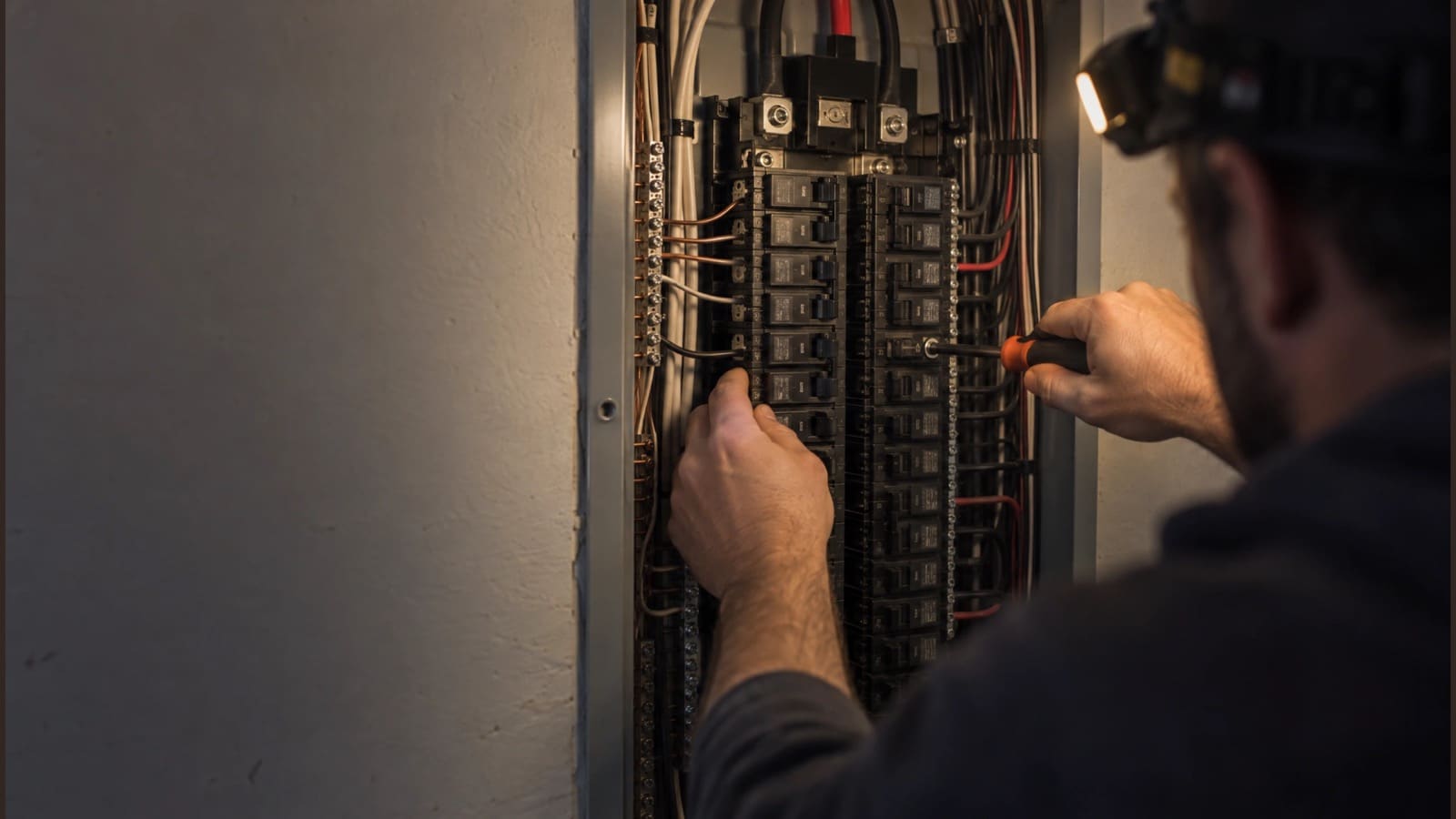
For electricians & electrical contractors
Wire more jobs. Chase fewer papers.
Quote the panel upgrade from your own assemblies, keep permits and inspection results with the job, and run remodel wiring phase by phase, with Scout, your AI agent, doing the office work.
No credit card. A free listing in the local pro directory is included.
Every panel quote starts from a blank page.
Build assemblies for a 200A service upgrade or a circuit run from parts and labor, and quote them in one line.
Permits, load calcs and inspection cards are scattered across trucks and inboxes.
Keep plans, permits and inspection paperwork in the project’s documents, with versions.
A failed inspection or late utility pushes everything back.
Log the delay with a reason and days, shift the remaining phases, and let the customer know.
Meet Scout™, your AI agent
Tell Scout what you need. It does the work in the app.
No software to learn. Anything that emails a customer or costs money waits for your OK.
“Quote a 200-amp panel upgrade with a whole-home surge protector for the Nguyens.”
Built the proposal from your panel upgrade and surge assemblies, margin shown, ready to review.
“Log a three-day delay on the Miller remodel, waiting on the rough-in inspection.”
Logged the delay, pushed the remaining phases and posted it to their project page after you approved.
“Attach this permit to the Elm Street kitchen job.”
Added the permit to the project’s documents as a new version.
“Put Jake’s crew on trim-out at the Cole basement next Tuesday and Wednesday.”
Set the trim-out phase dates and crew, and updated the customer’s calendar.
“Which signed jobs are still waiting on a deposit?”
Listed the signed proposals with open deposit invoices and how long each has been outstanding.
Electrical
Built for the way you work
Assemblies in your price book
Build a “200A service upgrade,” “EV charger circuit” or “recessed light installed” from materials and labor, then quote it in one line.
Projects with phases
Permit, rough-in, rough inspection, trim-out, final inspection: dates and crews for each phase of a remodel or new build.
Permits and inspections on file
Keep plans, permits, load calcs and inspection results in the project’s documents, with versions.
Delays with a reason
Log a failed inspection or a utility wait in days, shift the schedule, and notify the customer if you choose.
Crews on their phones
Electricians see their jobs in the browser, add daily logs and photos, and complete work with a required photo.
Deposits on signing
Customers sign online and a deposit invoice goes out automatically, saved to QuickBooks.
Quotes & e-signature
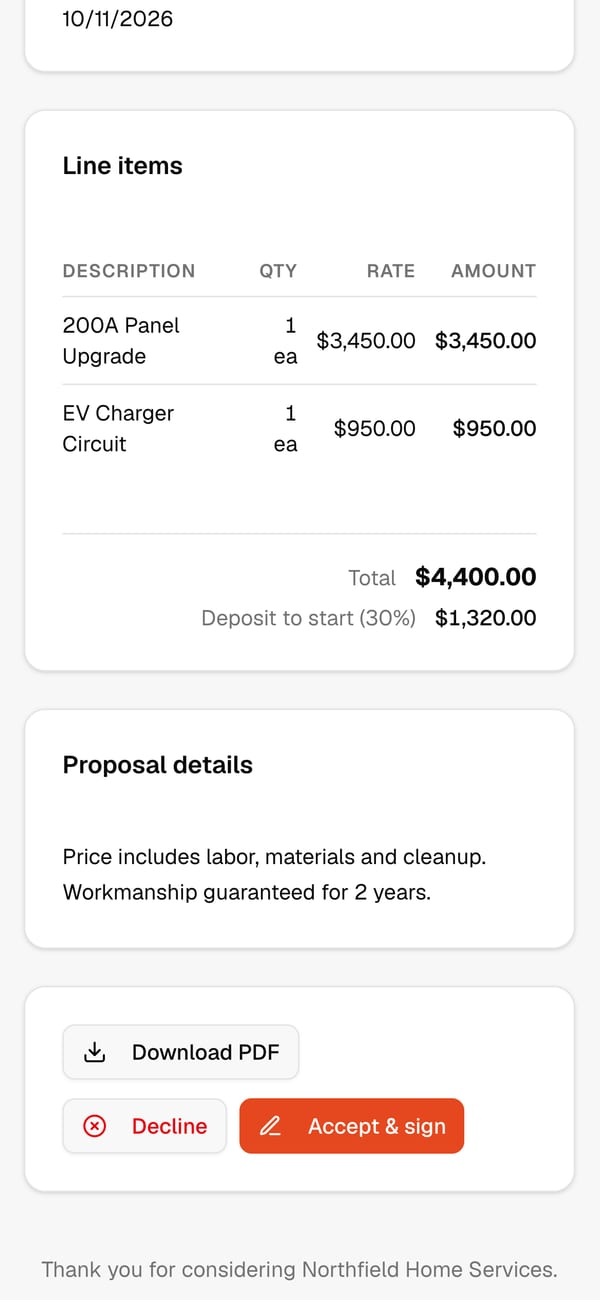
Panel upgrades signed from the driveway
The customer opens the quote from their email, reviews every line and signs on their phone. If you ask for a deposit, its invoice goes out the moment they sign.
See it in the app
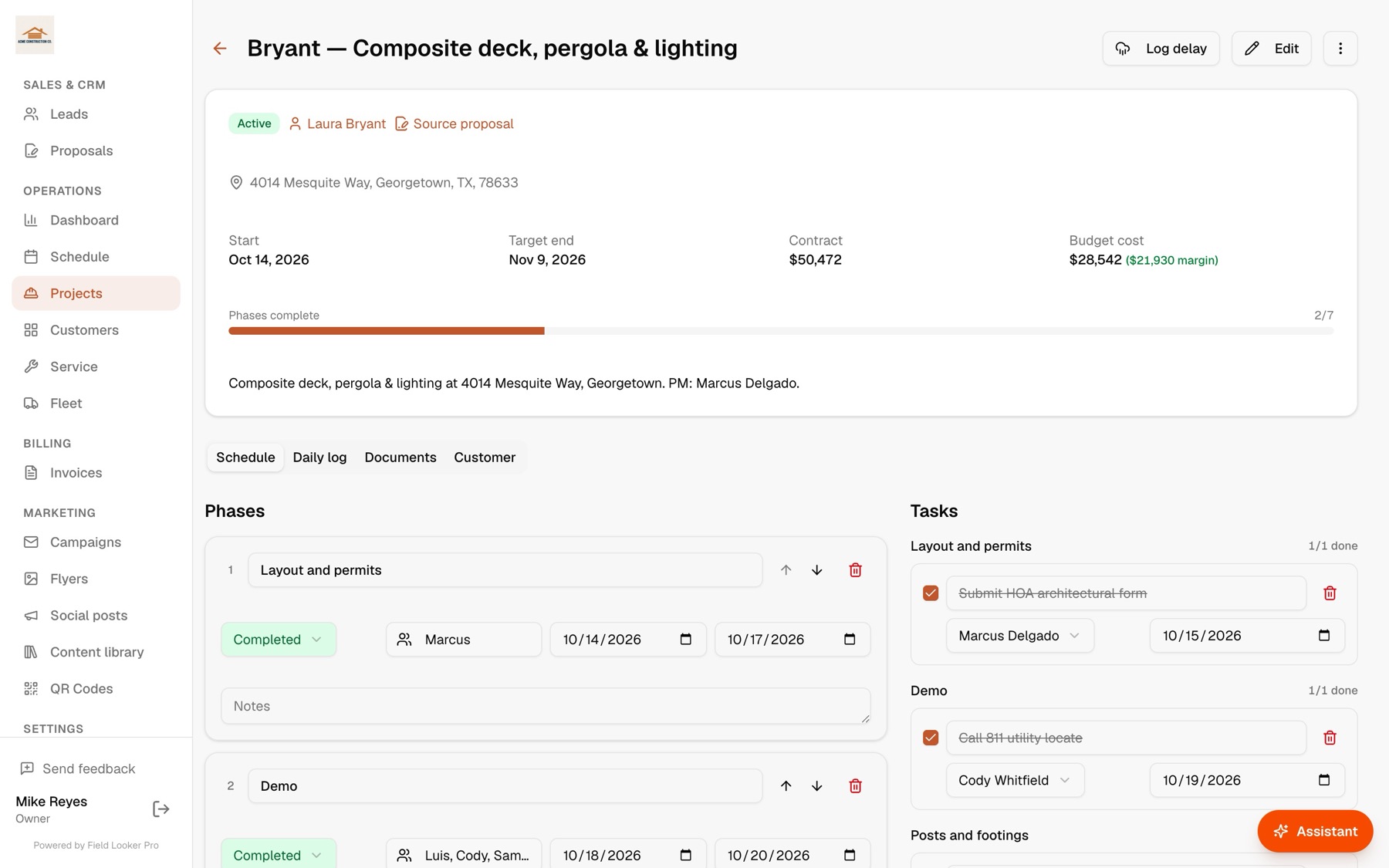
Remodel wiring, phase by phase
Rough-in, inspection and trim-out as phases with dates and crews, with plans and permits in the job’s documents.
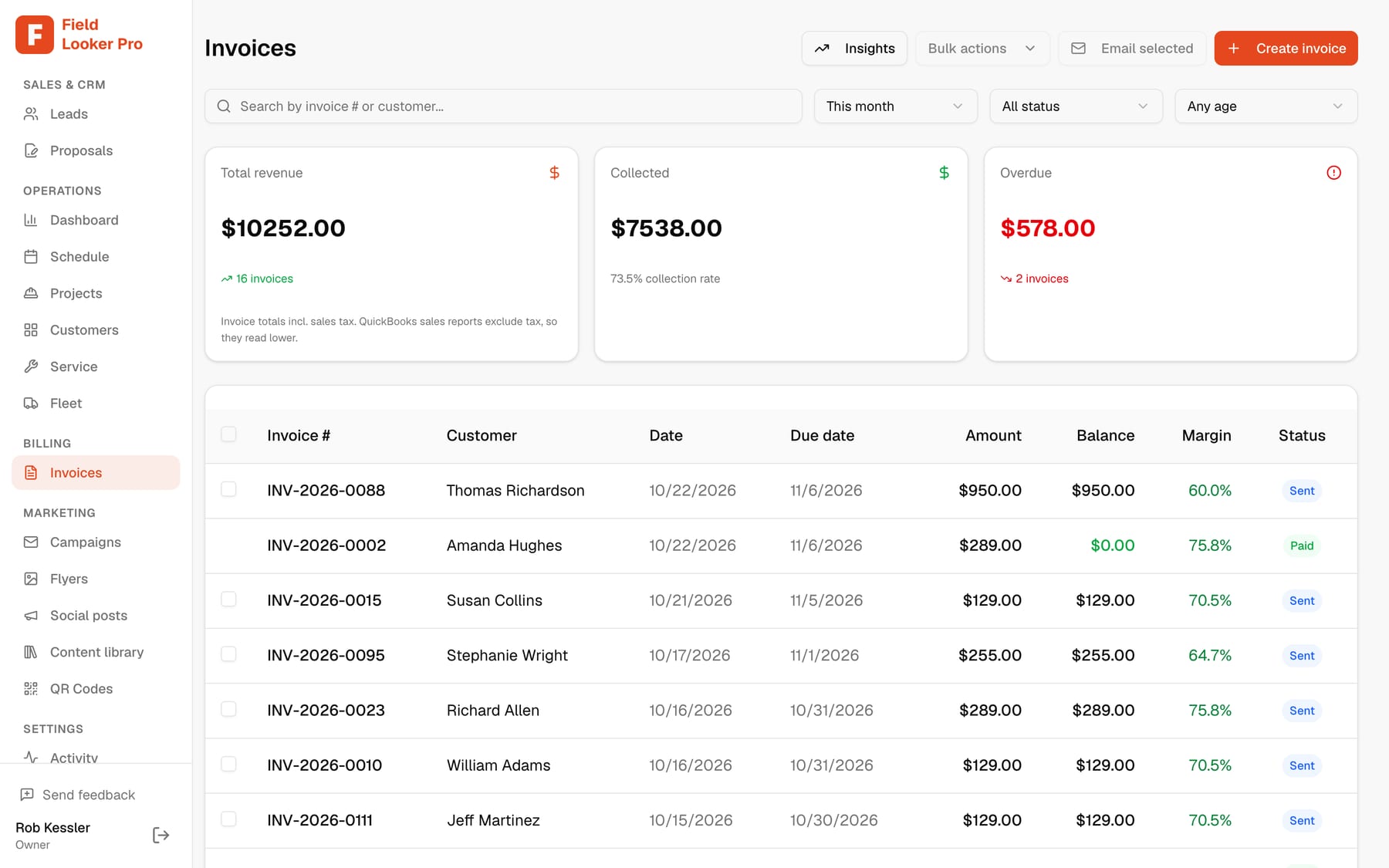
Every invoice with its margin
Invoice from the completed visit, see the margin, and let automated reminders chase what’s late.
Keep customers in the know
Customers who feel informed come back, and send their neighbors
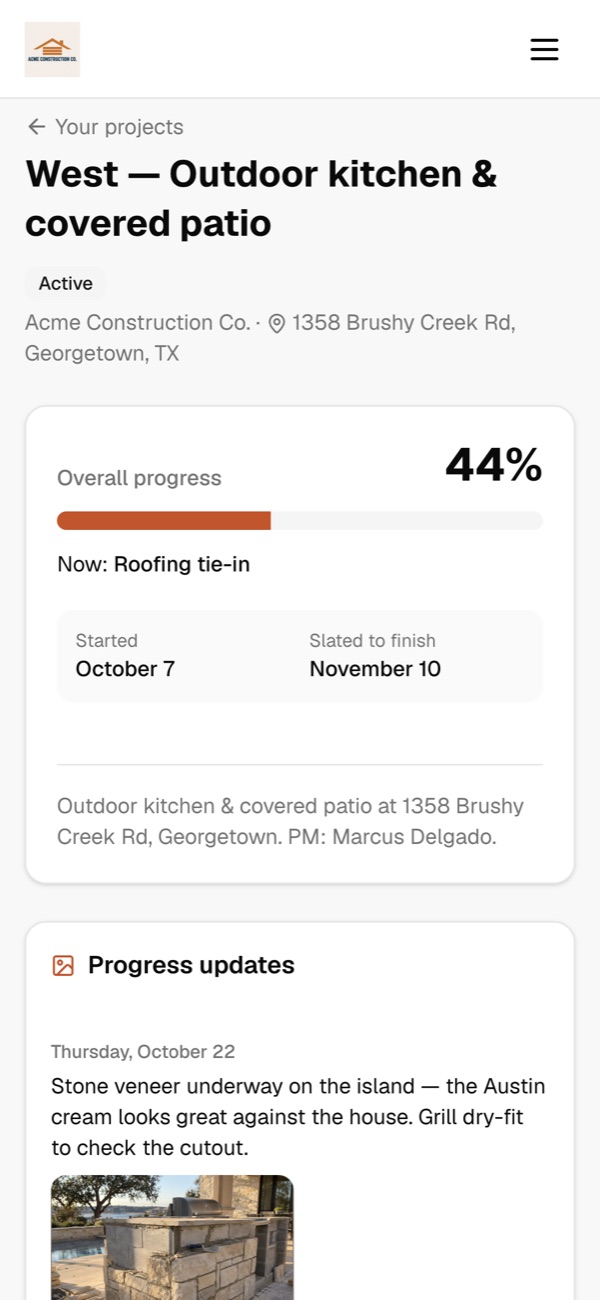
Every customer gets their own project page. They see progress, the schedule and any delays as soon as you log them, and they can message you directly. Fewer “where are we at?” calls, smoother jobs, and the kind of experience that turns into repeat work and referrals.
- Customers message you right from their project page. You get an email the moment they do, and they get one when you reply.
- Log a weather or materials delay and they see why and for how long, with an optional email so nobody is surprised.
- A live calendar of every phase, so they know when crews will be on site.
- Progress photos and the files you choose to share: plans, renderings and the signed contract.
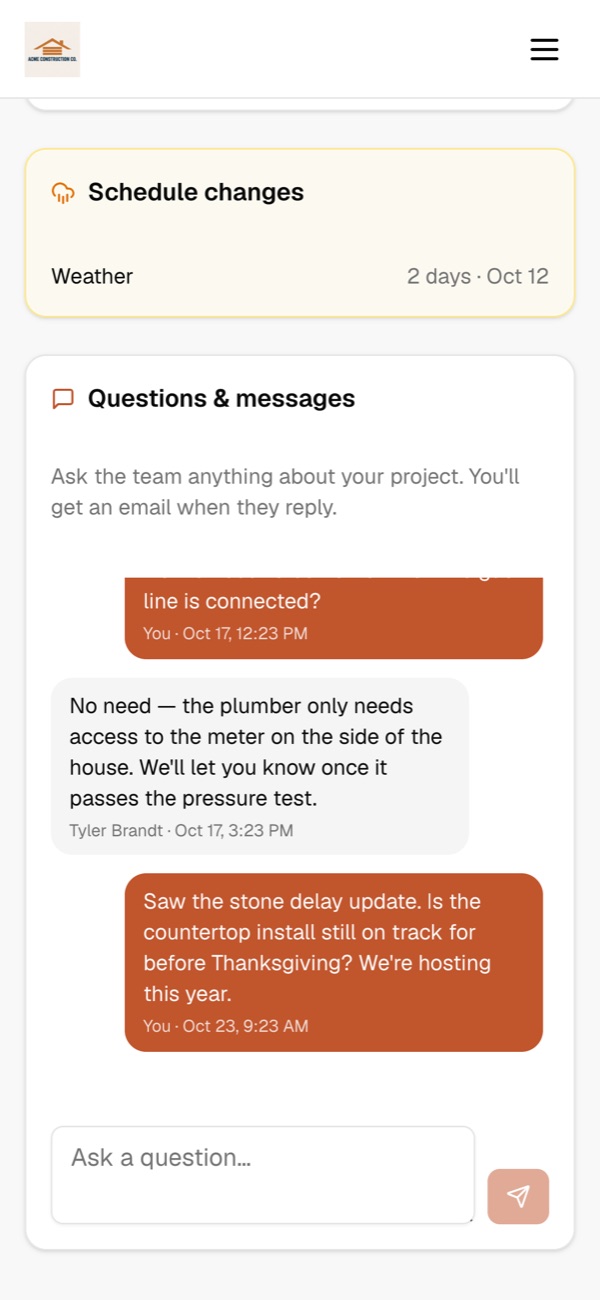
New message from Paul West
“Is the countertop install still on track for before Thanksgiving?”
From first call to paid
- 1
Lead comes in
From your directory listing, website or a QR code on a yard sign, with follow-ups sent for you.
- 2
Quote from assemblies
Add the panel, circuits and fixtures from your price book and check the margin.
- 3
Signed with a deposit
The customer signs on their phone; the deposit invoice goes out and syncs to QuickBooks.
- 4
Permit, rough-in, trim-out
Run the job phase by phase with permits on file and delays logged.
- 5
Final invoice
Invoice the balance after final inspection and let reminders do the chasing.
Questions
Can I track permits and inspections?+
Yes. Make permit and inspection steps phases of the project, and keep the permits, plans and inspection results in its documents with versions.
What happens when an inspection fails?+
Log a delay with the reason and the days lost. The remaining phases move, and you can notify the customer on their project page.
Can I quote common jobs without retyping parts?+
Yes. Assemblies bundle materials, labor and equipment into one price-book item, like a service upgrade or a circuit run.
Do my electricians need to install an app?+
No. They open their jobs in the browser on any phone, add daily logs and complete work with photos.
Does it work with QuickBooks?+
Yes. Customers, invoices (including deposits) and payments sync both ways with QuickBooks Online.
See it run your business
Book a 20-minute walkthrough with your own jobs, crews and price book, or ask us anything. We usually reply the same day.
- We’ll import your customers and QuickBooks for you
- Bring your trickiest job and watch Scout, our AI agent, handle it
- No commitment, no credit card
Run the whole business from one conversation.
Start freeFree for up to 10 customers. No credit card.