
For handymen & repair pros
More small jobs, less office work.
Quote in a minute from your price book, fit more stops into each day with optimized routes, and bill property managers for every unit on one account, with Scout, your AI agent, handling the paperwork.
No credit card. A free listing in the local pro directory is included.
Small jobs aren’t worth an hour of quoting.
Ask Scout for a quote from your price book and send it for an online signature in minutes.
A dozen stops a day and half the time is driving.
Optimize each crew’s route and open the day in Google Maps.
Property managers want one bill, not twenty.
Billing accounts put many properties under one payer, so invoices go to the right person.
Meet Scout™, your AI agent
Tell Scout what you need. It does the work in the app.
No software to learn. Anything that emails a customer or costs money waits for your OK.
“Quote the Hendersons: replace a bathroom faucet, patch two drywall holes and hang three shelves.”
Built the quote from your price book with your margin shown, ready to send.
“Schedule the Maple Court unit repairs for Tuesday and optimize my route.”
Added the visits to Tuesday and reordered your stops for the shortest drive.
“Bill everything we did for Oakridge Property Management this month.”
Created invoices for the completed visits at their properties, addressed to their billing account.
“Set Mrs. Patel up for gutter and filter checks every month.”
Created a monthly recurring service so it lands on your schedule automatically.
“Who owes me money over 30 days?”
Listed overdue invoices by customer with amounts, and offered to send reminders.
“Here’s a photo of a leaking P-trap. Add it to the Lopez job.”
Attached the photo to the visit so it’s on record with the work.
Handyman & repair
Built for the way you work
Quick quotes
Price common jobs once in your price book (faucet swap, door rehang, drywall patch) and quote them in one line.
Route optimization
Reorder each crew’s stops for less driving, and open the day in Google Maps.
Property-manager billing
One billing account for many properties; work at each unit is billed to the manager who pays.
Recurring customers
Weekly, biweekly or monthly visits go on the schedule automatically, and “needs scheduling” shows what’s waiting.
Completion photos
Close each job from your phone with a photo, so customers and managers see the work was done.
Payments and reminders
Customers pay by card online, reminders go out automatically, and everything syncs with QuickBooks.
Quotes & e-signature
Punch lists approved from their phone
Send a quote with every item on the list. The customer opens it from their email, sees each line and signs on their phone, and it’s ready to schedule.
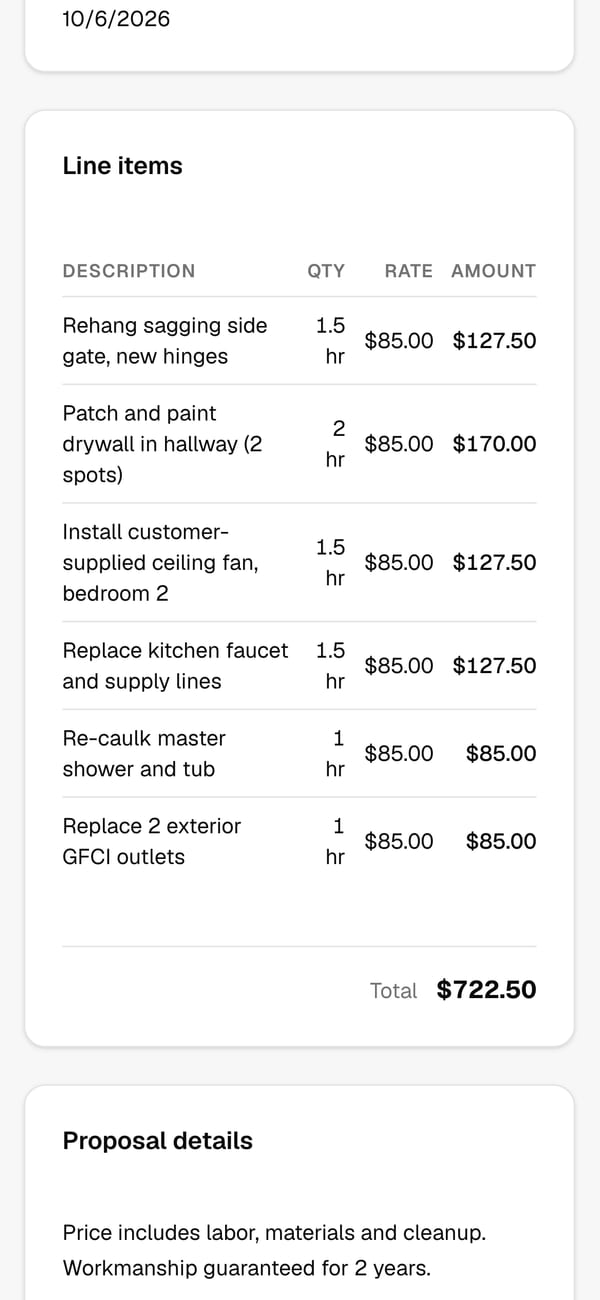
See it in the app
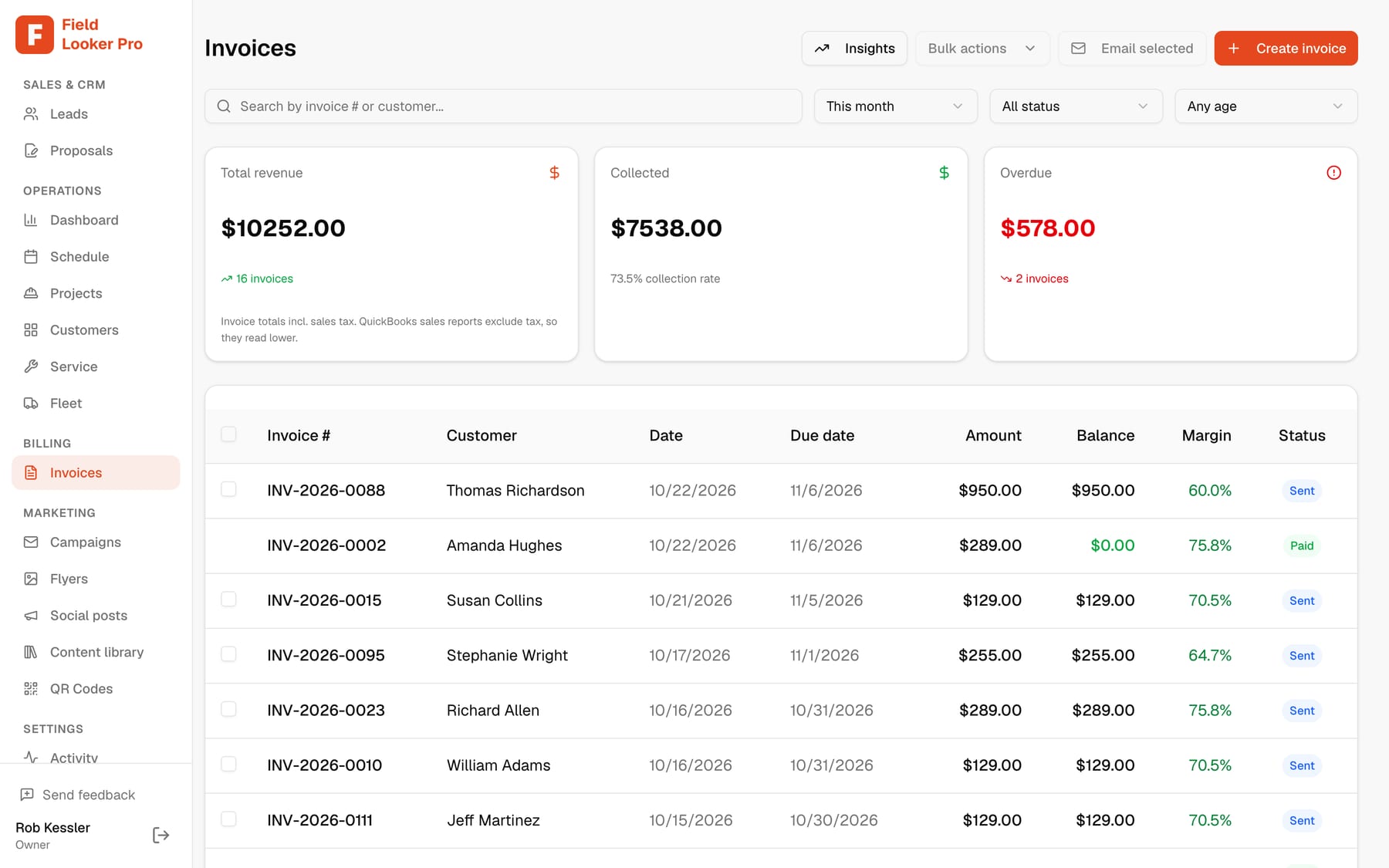
Every invoice with its margin
Invoice from the finished job or by hand, see what you made on it, and take card payments online.
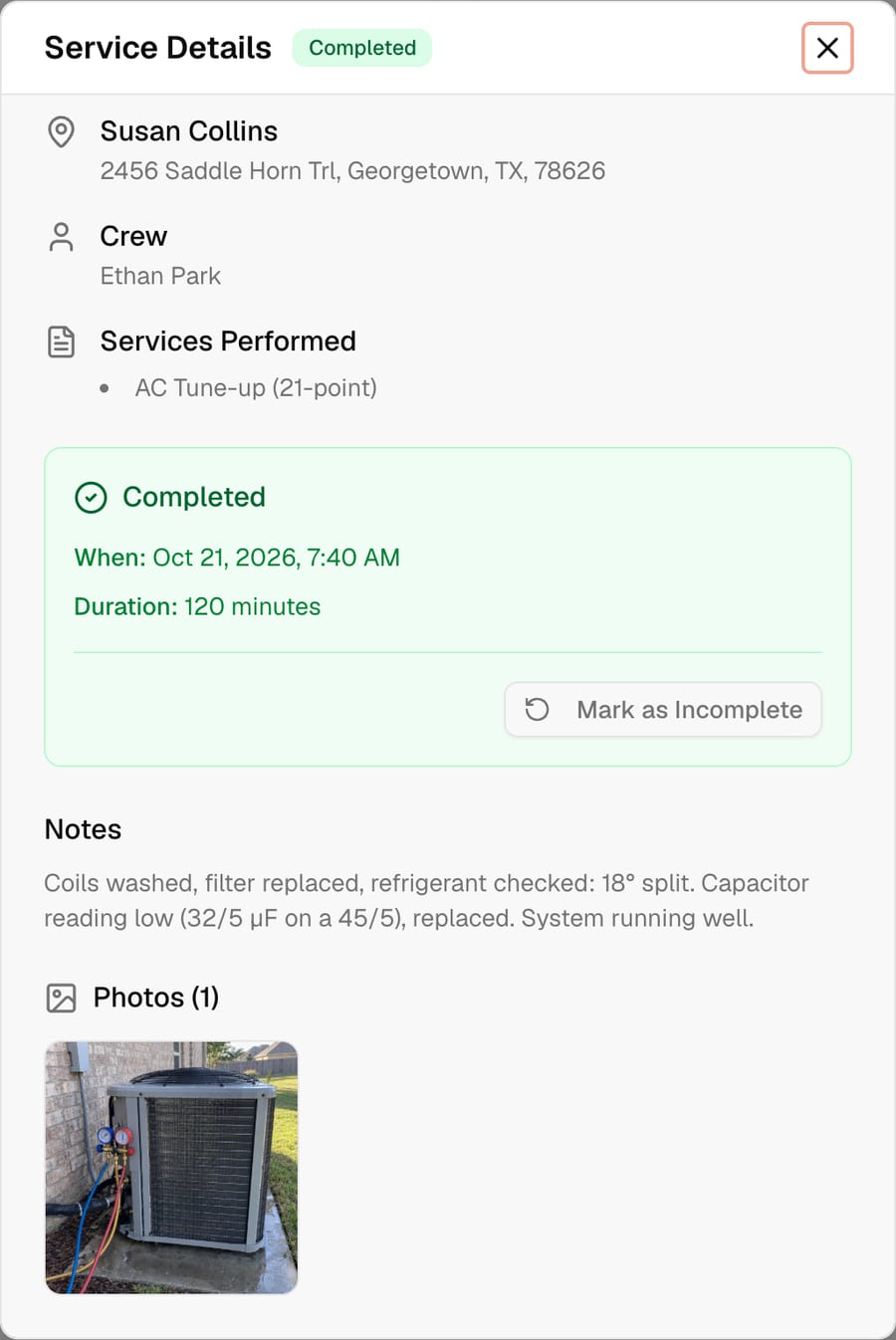
Notes and photos on every job
Each completed job keeps what was done and a photo, so callbacks and warranty questions are easy.
Keep customers in the know
Customers who feel informed come back, and send their neighbors
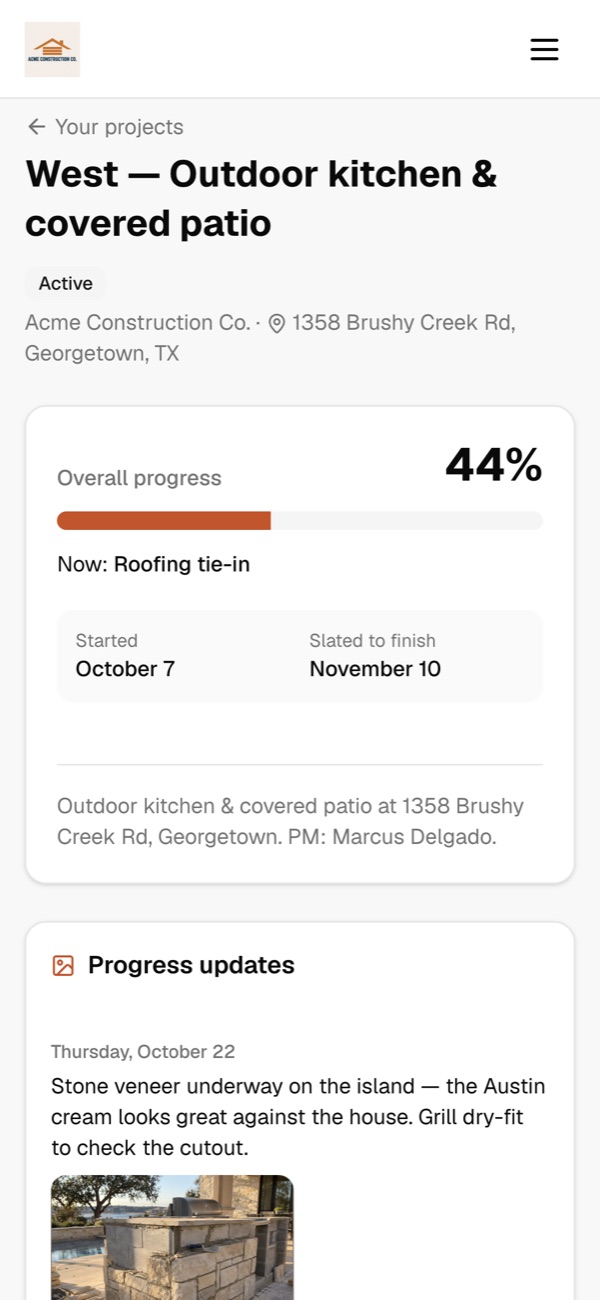
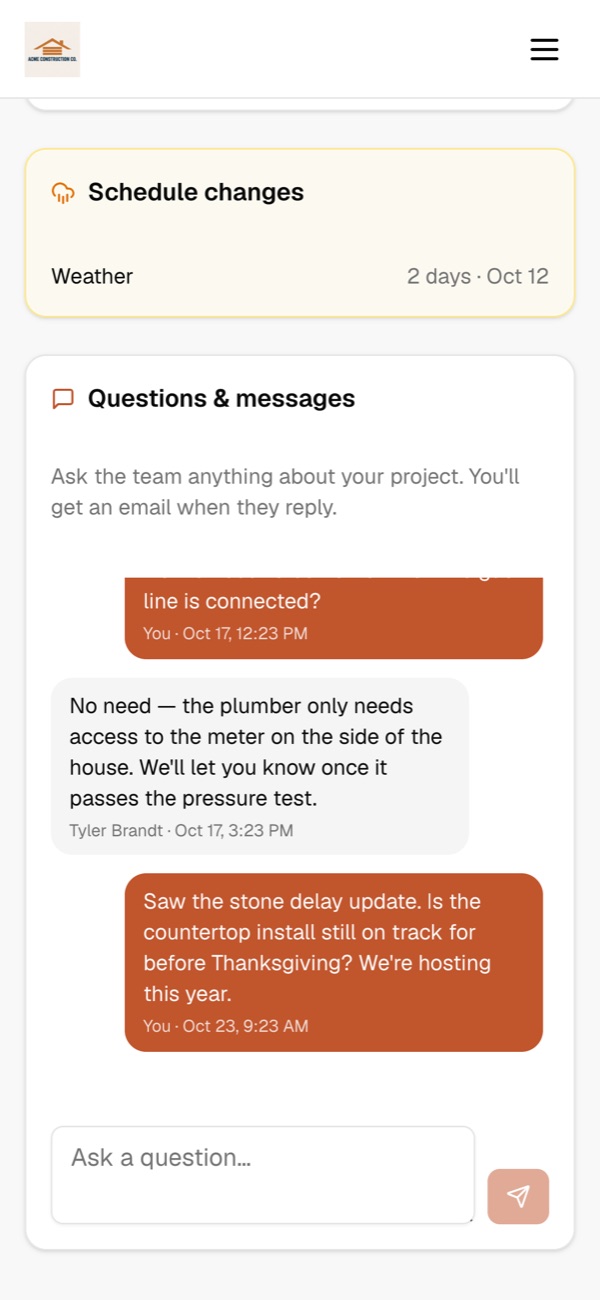
Every customer gets their own project page. They see progress, the schedule and any delays as soon as you log them, and they can message you directly. Fewer “where are we at?” calls, smoother jobs, and the kind of experience that turns into repeat work and referrals.
- Customers message you right from their project page. You get an email the moment they do, and they get one when you reply.
- Log a weather or materials delay and they see why and for how long, with an optional email so nobody is surprised.
- A live calendar of every phase, so they know when crews will be on site.
- Progress photos and the files you choose to share: plans, renderings and the signed contract.
New message from Paul West
“Is the countertop install still on track for before Thanksgiving?”
From first call to paid
- 1
Request comes in
From your directory listing, a QR code or your website, with follow-ups sent for you.
- 2
Quick quote
Price it from your price book and send it for an online signature.
- 3
Schedule and route
Drop it on a day, optimize the route, and the crew sees it on their phone.
- 4
Done with a photo
Close the job from the phone with a completion photo.
- 5
Invoice and get paid
Invoice the customer or their billing account, take cards online, and let reminders run.
Questions
Is it overkill for small jobs?+
No. Save your common jobs in the price book and quote them in a line, or just tell Scout what you need and review what it builds.
Can I bill a property manager for many properties?+
Yes. Set up a billing account for the manager and attach their properties. Invoices for work at each one go to the account that pays.
Can I set up repeat visits?+
Yes. Recurring services can be weekly, every other week or monthly, and they land on the schedule automatically.
How does route optimization work?+
Pick a crew and a day and Field Looker reorders the stops to cut drive time. Open the day in Google Maps for directions.
What does it cost?+
Free for up to 10 customers and 2 crew members. Pro is $150 a month for unlimited customers and crew. AI and automated features use credits: 500 a month come with Pro, and usage past that is $0.02 a credit on your monthly bill.
See it run your business
Book a 20-minute walkthrough with your own jobs, crews and price book, or ask us anything. We usually reply the same day.
- We’ll import your customers and QuickBooks for you
- Bring your trickiest job and watch Scout, our AI agent, handle it
- No commitment, no credit card
Run the whole business from one conversation.
Start freeFree for up to 10 customers. No credit card.