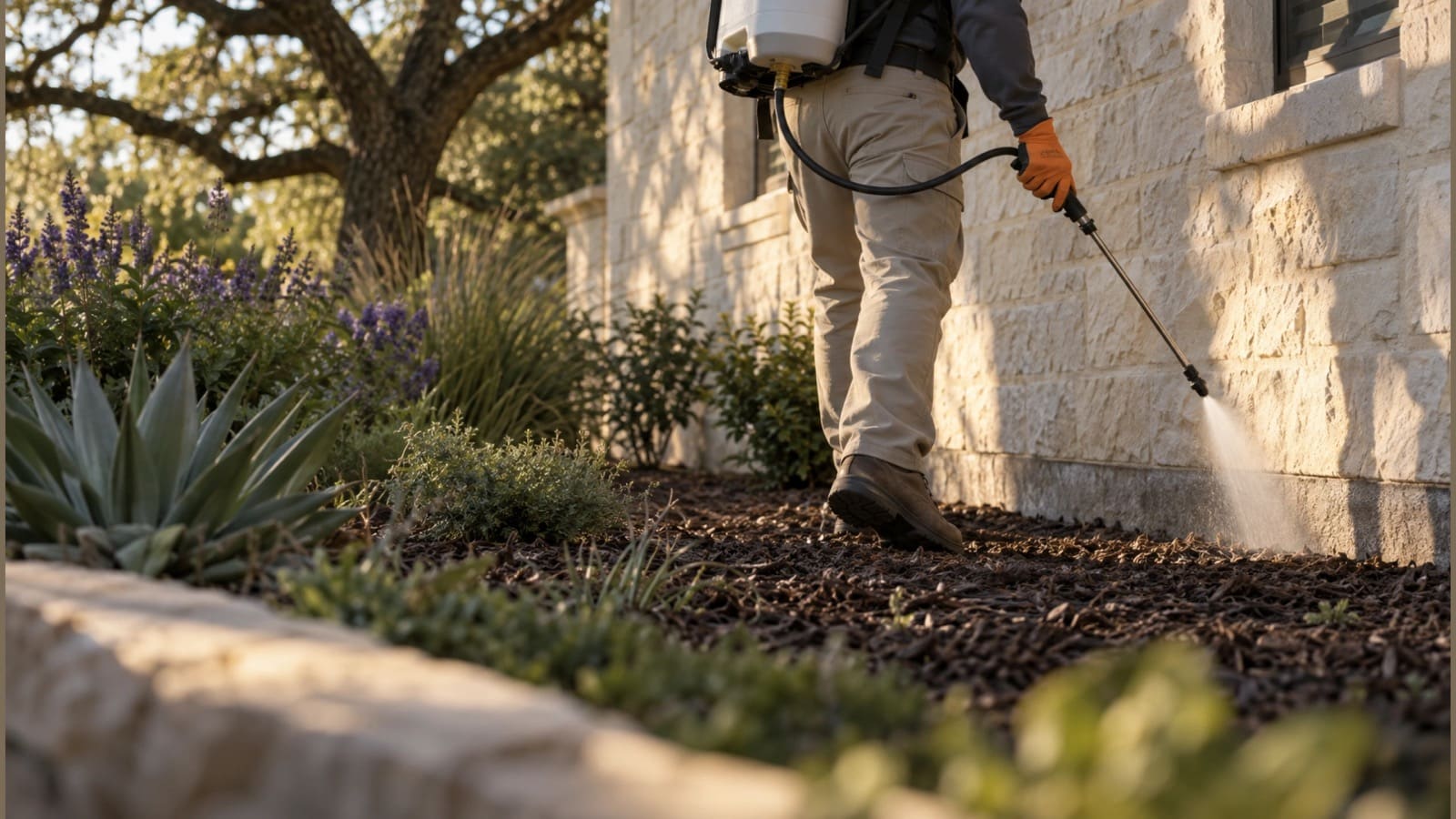
For pest control companies
Service plans that run themselves.
Monthly treatments land on the schedule on their own, techs follow an optimized route and log every visit with photos and notes, and invoices and reminders go out without you.
No credit card. A free listing in the local pro directory is included.
Keeping track of who’s due for their next service.
Service plans are recurring visits, so every customer comes back on the schedule when they’re due.
Customers ask what you did and when you were there.
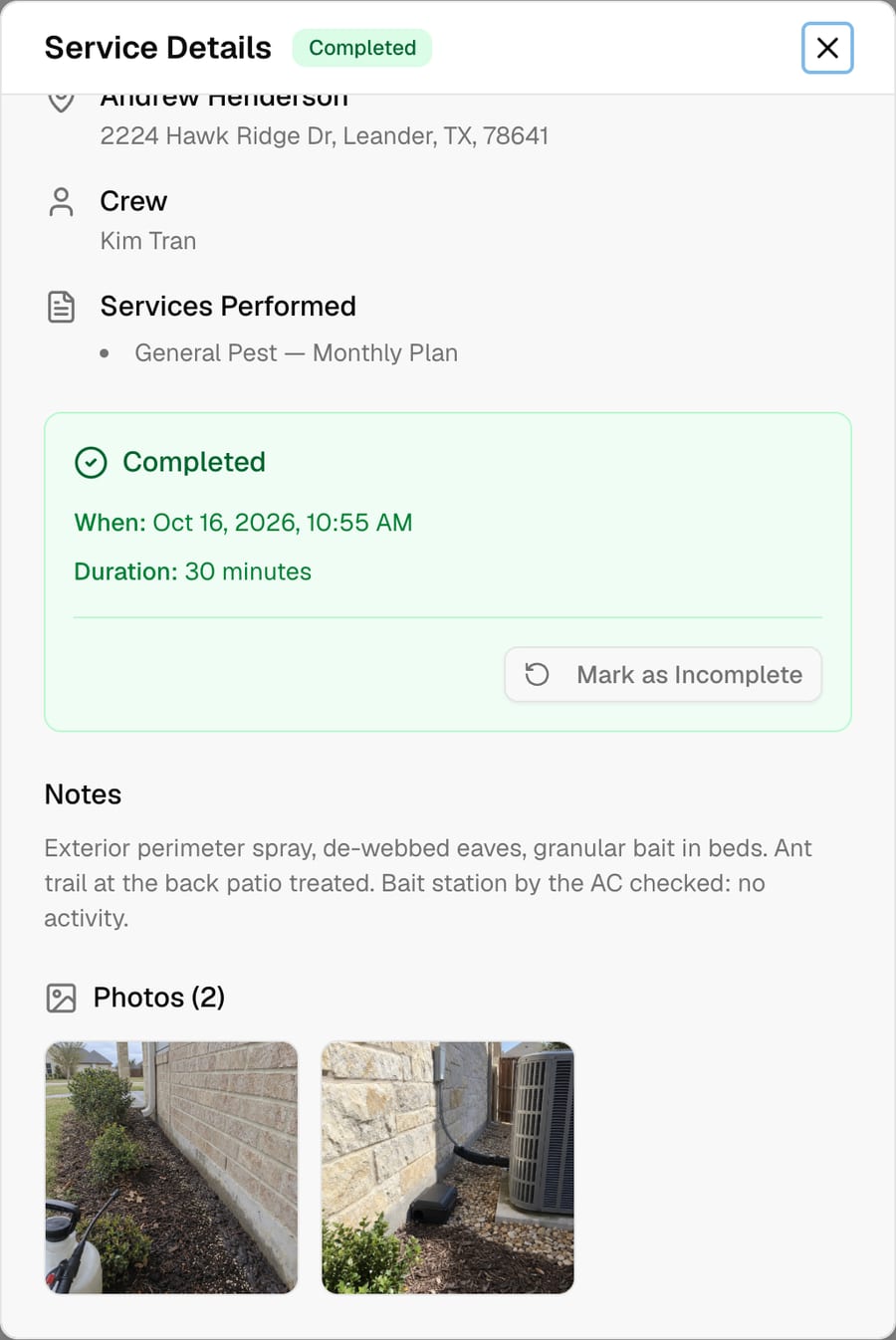
Techs complete each visit with photos and notes, so every treatment has a record.
Chasing small invoices eats your week.
Billing rules and payment reminders run automatically, and customers pay by card online.
Meet Scout™, your AI agent
Tell Scout what you need. It does the work in the app.
No software to learn. Anything that emails a customer or costs money waits for your OK.
“Put the Nguyens on a monthly general pest plan starting next week.”
Created the recurring monthly service and added the first visit to the schedule.
“Optimize Thursday’s route for Maria.”
Reordered Maria’s stops to cut drive time; she can open the day in Google Maps.
“What did we do at 87 Pine Street last visit?”
Showed the last visit’s notes and completion photos with the date and who did it.
“Who has an unpaid invoice from last quarter?”
Listed customers with open invoices from last quarter, balances and the last reminder sent.
“Send a spring mosquito and ant offer to all our plan customers.”
Drafted the email campaign to your plan customers and held it for your approval.
Pest control
Built for the way you work
Recurring service plans
Monthly or every-other-week treatments as recurring services that keep filling the schedule.
Route-optimized days
Optimize each tech’s stops for the day and open the route in Google Maps from their phone.
Photos and notes per visit
Techs open their stops in the browser, no install, and complete each one with photos and notes you can look up later.
Automated billing
Invoice from completed visits, run billing rules and payment reminders automatically, and take card payments online.
Property-manager accounts
One billing account for a property manager covering many units or buildings, with invoices going to one payer.
Seasonal campaigns
Mosquito, termite-season and rodent offers emailed to past customers, plus flyers and social posts made for you.
Techs in the field
Every visit documented from the tech’s phone
Techs see their route for the day in the browser on any phone, work the stops in order and complete each visit with photos and notes. You can require a completion photo so nothing gets closed out blank.
See it in the app
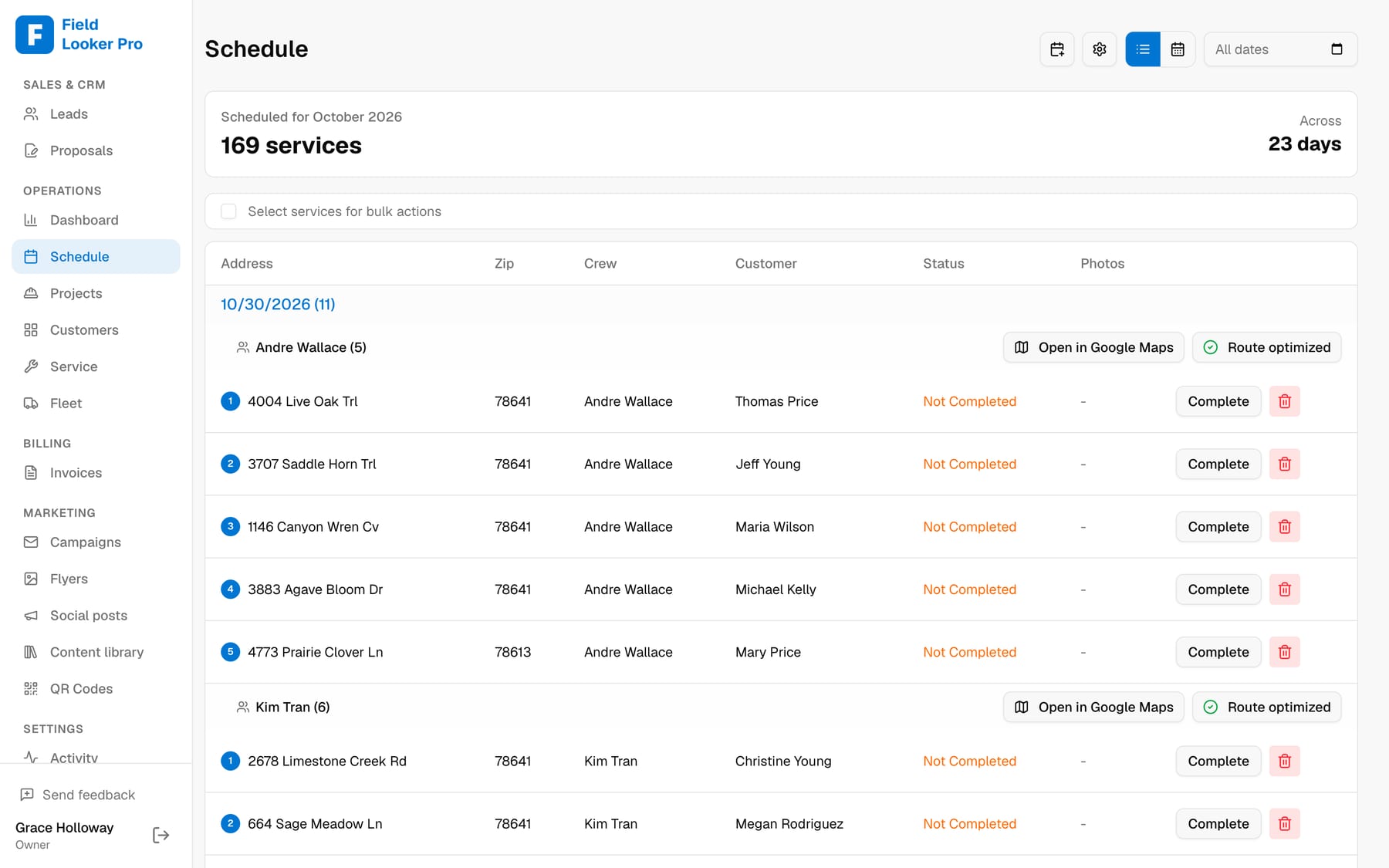
Plan visits fill each route
Monthly plans become recurring visits, grouped by tech and sorted into drive order.
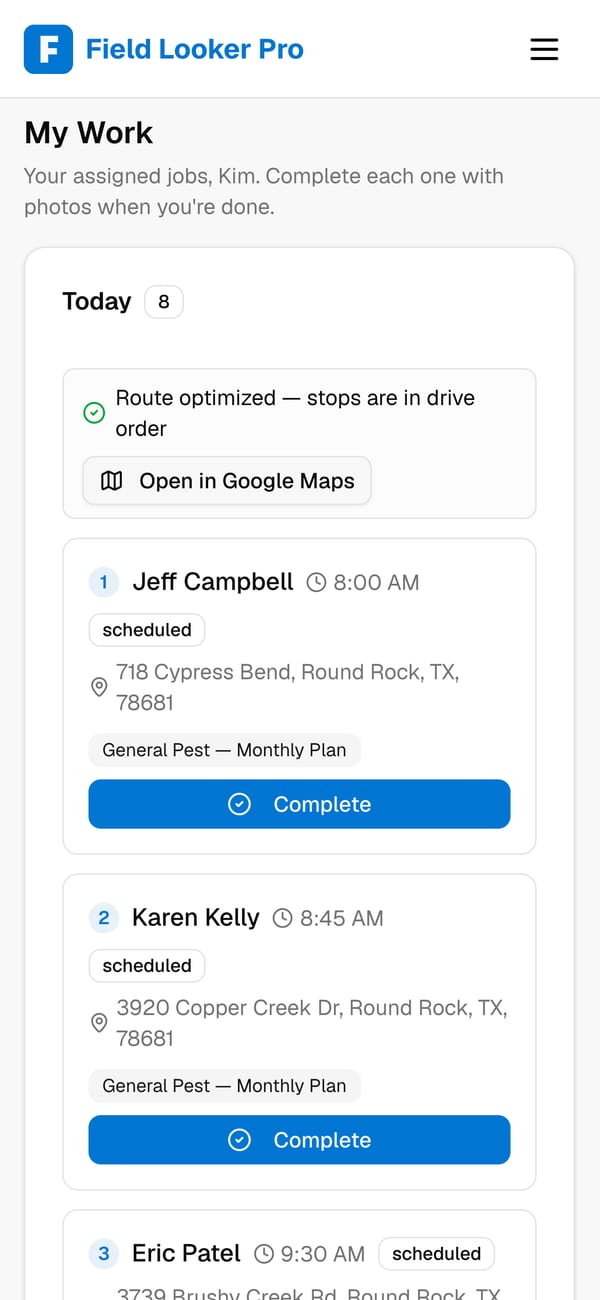
The tech’s day on their phone
Stops in order, the plan for each home, and one tap to open the route in Google Maps.
Keep customers in the know
Customers who feel informed come back, and send their neighbors
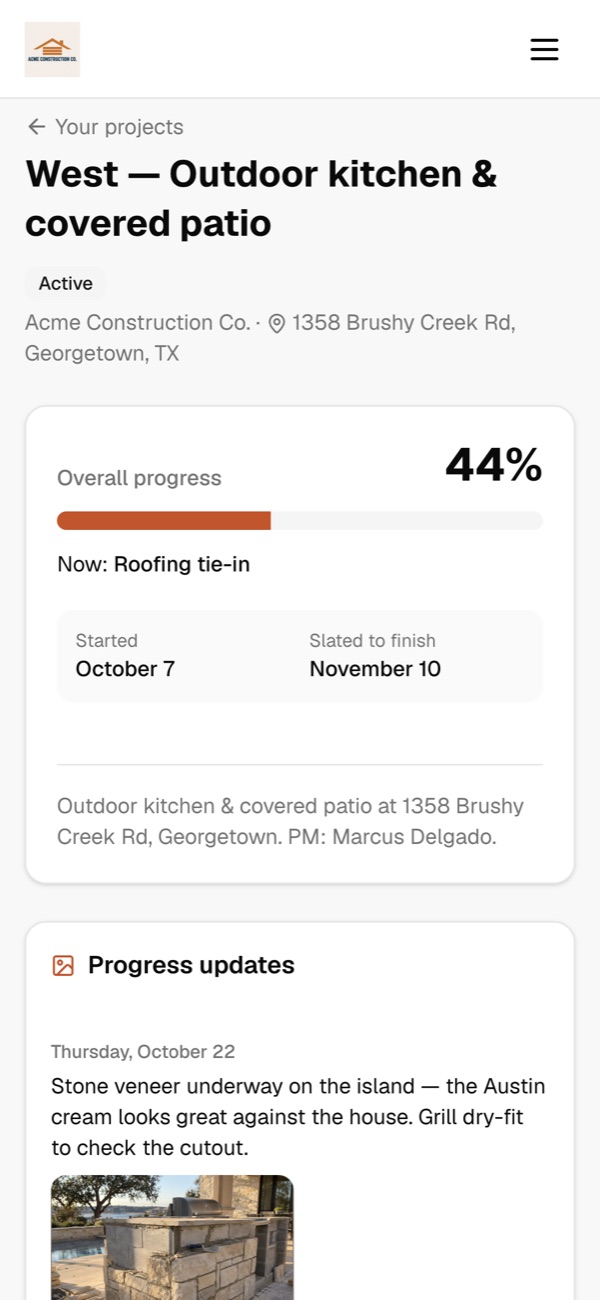
Every customer gets their own project page. They see progress, the schedule and any delays as soon as you log them, and they can message you directly. Fewer “where are we at?” calls, smoother jobs, and the kind of experience that turns into repeat work and referrals.
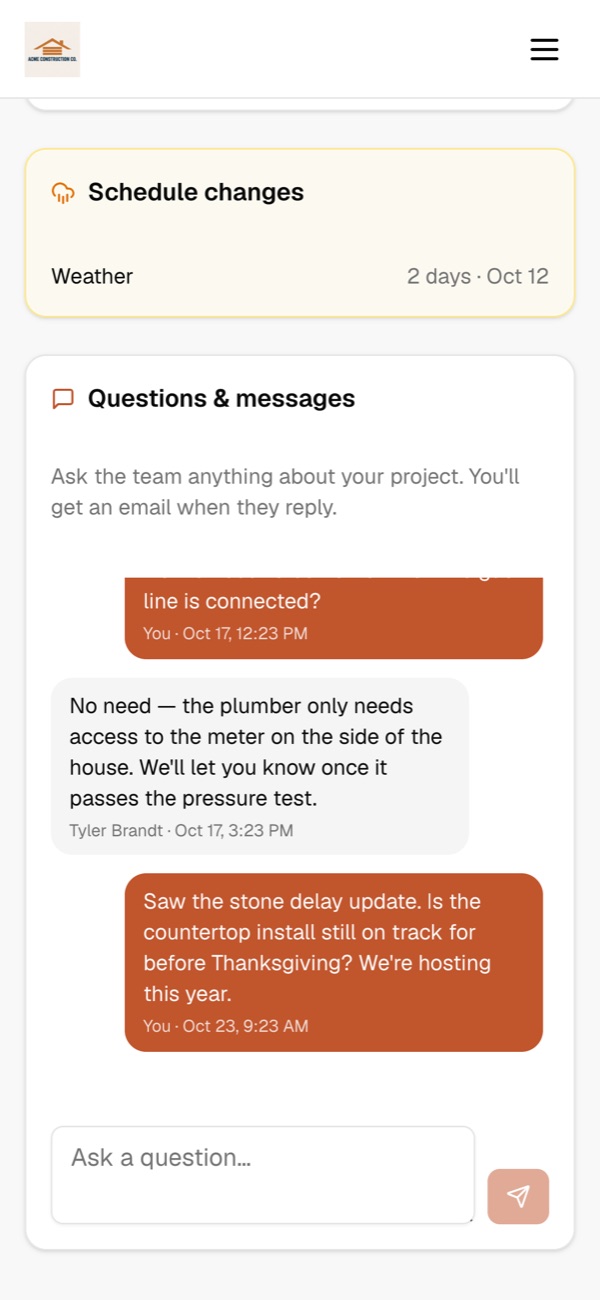
- Customers message you right from their project page. You get an email the moment they do, and they get one when you reply.
- Log a weather or materials delay and they see why and for how long, with an optional email so nobody is surprised.
- A live calendar of every phase, so they know when crews will be on site.
- Progress photos and the files you choose to share: plans, renderings and the signed contract.
New message from Paul West
“Is the countertop install still on track for before Thanksgiving?”
From first call to paid
- 1
Lead comes in
From your directory listing, a flyer QR code or your website, with follow-ups sent for you.
- 2
Quote the plan
Send a service plan quote from your price book; the customer signs online.
- 3
Visits on schedule
The plan becomes recurring visits that fill each tech’s optimized route.
- 4
Treat and document
Techs complete each visit with photos and notes from their phone.
- 5
Bill automatically
Invoices, billing rules and reminders run on their own and sync to QuickBooks.
Questions
Can I set up monthly service plans?+
Yes. Plans are recurring services (monthly or every other week) and visits fill the schedule automatically.
Can techs record notes and photos for each visit?+
Yes. Techs complete each visit from their phone with photos and notes, and you can require a completion photo.
Can I bill a property manager for multiple units?+
Yes. A billing account lets one payer cover many properties, with invoices and reminders going to the manager.
Does it work with QuickBooks?+
Yes. Customers, invoices and payments sync both ways with QuickBooks Online.
See it run your business
Book a 20-minute walkthrough with your own jobs, crews and price book, or ask us anything. We usually reply the same day.
- We’ll import your customers and QuickBooks for you
- Bring your trickiest job and watch Scout, our AI agent, handle it
- No commitment, no credit card
Run the whole business from one conversation.
Start freeFree for up to 10 customers. No credit card.